Deployment failures come from manual steps, environment drift, and weak tests. Fix them with CI/CD, Infrastructure as Code, canary releases, feature flags, automated rollbacks, and real monitoring.
You ship code. Production breaks. You fix it. Then it breaks again. That’s not bad luck. That’s a broken process.
Here’s what actually fails and how to stop it.
Where Failures Come From
Image Source Medium
Five things kill your deployments. Most teams ignore at least three.
1.Manual steps: Someone forgets an env var. Runs scripts out of order. Fat-fingers a config. You blame the person. You should blame the pipeline that lets them touch production.
2.Environment drift: Your dev box runs Python 3.9. Staging uses 3.11. Production is still on 3.7. Works on my machine? That lie costs you weekends.
3.Skinny tests: No automation means you ship defects at speed. The bug was there before you clicked deploy. Your pipeline just delivered it faster.
4. No visibility: You learn about failures from a customer support ticket. By then, revenue’s gone and trust’s eroded.
Fix these systematically. Your failure rate drops under 5%. Ignore them. Keep bleeding.
What a Failure Really Costs
Gartner says downtime runs $5,600 per minute. A one-hour outage from a bad deploy? That’s $336,000 in direct loss. Before churn. Before SLA penalties. Before your on-call engineer’s fifth coffee at 2 AM.
Your deployment process isn’t technical trivia. It’s a line item on your P&L.
Automate the Whole Thing
Image Source nakatechcom
Stop deploying by hand. Build a CI/CD pipeline. Jenkins, GitHub Actions, GitLab CI – pick one.
Every commit triggers builds, tests, security scans. No human touches prod directly. The pipeline decides: pass all gates or stop.
Elite teams deploy multiple times a day. Their change failure rate sits below 5%. They’re not smarter. They just automated the boring, dangerous parts.
Kill Environment Inconsistency
“Works in staging” is the most expensive lie in software.
Use Infrastructure as Code. Terraform, Pulumi, CloudFormation. Define your servers, databases, load balancers in version-controlled files. Spin up dev, staging, and prod from the same code. They become identical by design. No surprises.
Don’t Flip the Big Red Switch
➢ Big Bang deployments: Shut everything down, push the new version, turn it back on. This strategy should belong in a museum. Use strategies that limit damage.
➢ Blue‑green: Two identical prod environments. Deploy to green. Test. Flip traffic. Something wrong? Flip back. Costs double the infrastructure. Worth it for systems that cannot go down.
➢ Canary: Roll to 1% of users first. Watch error rates. Healthy? Go to 5%, then 25%, then all. Problems hit a tiny slice. This is how Google and Netflix ship.
➢ Rolling: Update servers one by one. Slower. Zero downtime. Fine for stateless apps.
Combine canary with blue‑green when you’re paranoid. Bake times should stretch hours or days long enough to catch weird usage patterns across time zones.
Feature Flags as Your Emergency Brake
Ship code with new features turned off. Flip them on for specific users through config, not another deploy.
Something catches fire? Turn it off instantly. No rollback. No redeploy. Just a toggle.
Downside: toggle debt. Old flags pile up and rot your codebase. Clean them out. Set expiration dates. Treat stale flags like mold.
➢ Automate the Rollback
Monitoring spots failure. Rollback fixes it without waking someone.
Configure your pipeline to watch error rates and latency post‑deploy. Breach a threshold? Revert to the last known good version automatically.
Kubernetes does this natively. AWS CodeDeploy too. Use what you have.
➢ Test Every Commit, Not Once a Month
Image Source Keploy
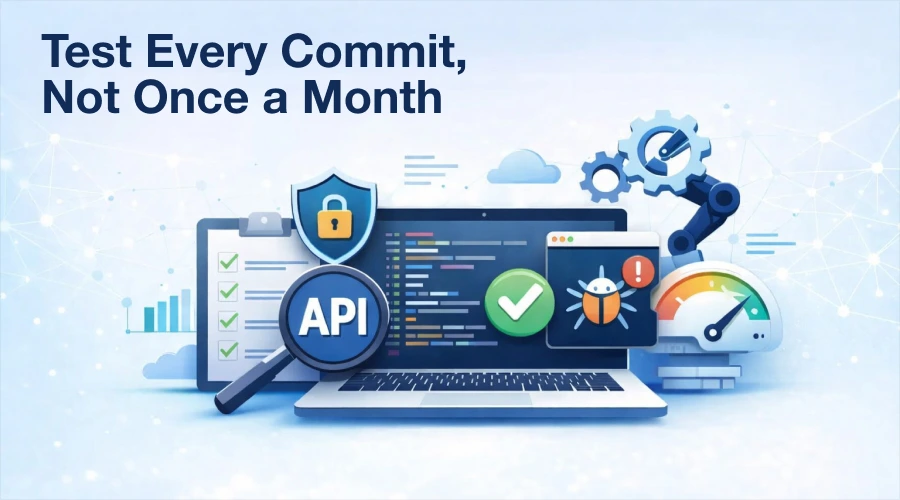
Shift left. Run unit, integration, API, and security tests on every push. Don’t save testing for a separate QA phase two weeks before release.
NIST found defects caught in production cost 6 to 100 times more than those caught during dev. Continuous testing isn’t overhead. It’s a discount on future firefighting.
Use mocks and stubs. Simulate a database timeout. Pretend an API returns 500s. If you don’t test failure paths, you’ll learn about them at 3 AM from a pager.
➢ See Everything. Then Act.
You can’t fix invisible failures. Deploy observability before your next feature. Prometheus, Grafana, Datadog, New Relic – pick one.
Track error rates, latency, throughput. Set alerts. Use the same health checks to gate rollouts. Health fails? Pipeline pauses. No debate.
➢ The Emergency Rules
Sometimes you need a hotfix. Security breach. Critical bug. The normal pipeline feels too slow.
Write down emergency rules before you need them. Who approves skipping steps? Which gates can you bypass? How much can you shrink bake time?
Never skip testing entirely. Run smoke tests and security scans as fast as possible, even out‑of‑band. And document every shortcut. A hotfix that ignores process becomes tomorrow’s technical debt.
Deleting Things Is Dangerous
Removing a component breaks more often than adding one. Delete something and it’s usually gone forever.
Follow a deliberate script: validate no traffic across a full business cycle, take a backup, disable before deleting, monitor through a watch window (hours or days), then clean up references. Treat every deletion like removing a load‑bearing wall.
Bottom Line
Deployment failures aren’t random. They come from manual steps, drifting environments, weak tests, blind spots, and teams that don’t talk. Fix those systematically with CI/CD, Infrastructure as Code, canary releases, feature flags, automated rollbacks, continuous testing, and real monitoring and you’ll ship faster with fewer fires.
Start with CI/CD. Add canaries next. Then flags. Each step cuts risk. Each step buys you back a weekend.
Because you’ll never hit zero failures. But you can make them small, fast to catch, and even faster to fix.