Enterprise software has a reputation. You buy it. You install it. Then you spend the next year trying to make it work.
The sales pitch sounds great. “Does everything.” Except what it actually does is give you a hundred features you don’t need and none of the ones you do. So your team builds workarounds. Spreadsheets multiply. People stop complaining because it’s easier to just deal with it.
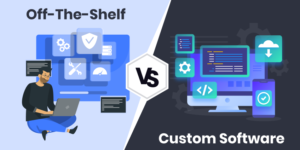
This happens because off‑the‑shelf enterprise tools are designed for a mythical average company. Your company isn’t average. Your processes are specific. Your legacy systems are tangled. Your security requirements are anything but standard.
Enterprise custom software development flips the model. Instead of forcing your organization to fit a generic tool, you build a tool that fits your organization. Your workflows. Your data. Your compliance rules. When it’s built for you, it actually does what you need.
Why Enterprises Need Tailored Solutions
Let’s just run through why the one‑size‑fits‑all approach never works for big companies.
Your processes aren’t someone else’s: You’ve spent years refining how work gets done. That’s not a bug. It’s how you compete. Generic software asks you to throw that out and adopt someone else’s workflow. Why would you?
Integration is a beast: Most enterprises run on a half‑dozen systems. CRM. ERP. HRIS. Supply chain. Maybe a mainframe from the ’90s. Off‑the‑shelf tools don’t talk to any of them without expensive connectors or custom code that eats up your budget.
Scale changes everything: A tool that works for a hundred users can buckle at ten thousand. Not just slow, broken. Custom enterprise software is built with your actual volume in mind. Peak loads. Data growth. All of it.
Security can’t be generic: Large organizations are prime targets. Attackers study popular enterprise software for weaknesses. Custom software? It’s not on that list. And you can bake security in from the beginning instead of patching it on later.
Compliance is a minefield: Healthcare, finance, and manufacturing all have their own rulebooks. Generic software treats compliance like a checkbox. You need it threaded through everything you do, not something you hope nobody audits.
Enterprise Development Framework
Building for an enterprise isn’t like building an app for a startup. The stakes are higher, the number of users is bigger, and the mess of existing systems is… well, it’s a mess. Here’s how it usually goes.
➢ERP and CRM Customization
Image Source Knowmore
Chances are, you already have an ERP and a CRM. Probably spent a fortune on them. And they’re close to what you need, that’s exactly it, close, but not quite.
Maybe the ERP’s inventory module doesn’t match your warehouse layout. Maybe the CRM lacks the custom fields your sales team uses to forecast. So your people build workarounds, Spreadsheets, Manual processes.
Customization fixes that without throwing everything out. You extend what you have. Add modules. Create custom fields. Build integrations. Suddenly, your ERP reflects your business. Your CRM tracks what matters. And those shadow spreadsheets disappear.
➢Workflow Automation Systems
Enterprises run on processes. Approvals, handoffs, reviews. There’s a rhythm to how work moves through the building. When those processes live in email chains, things get lost. Approvals stall. Bottlenecks go unnoticed. People spend more time chasing project statuses than doing their jobs.
Custom workflow automation digitizes that. A purchase request routes automatically based on department and dollar amount. New hires trigger account creation, hardware requests, and training assignments automatically. Statuses are visible in real time. The workflows that used to take days now take hours.
➢Data Integration Platforms
Image Source Aonflow
Here’s a truth about large organizations: your data is everywhere. Sales data in the CRM. Financials in the ERP. Operations data in spreadsheets, maybe a warehouse system, maybe an old mainframe that nobody wants to touch.
Getting a complete picture means manual work. Exporting CSVs. Pasting things together. Hoping nobody made a mistake.
Custom data integration platforms become the central hub. They connect to your existing systems, extract data, clean it, and push it where it needs to go. Dashboards update in real time. Reports generate automatically. No more waiting for someone to compile numbers.
➢Security and Compliance Systems
For enterprises, security isn’t a feature. It’s the price of admission.
Off‑the‑shelf software gives you baseline protection. But baseline isn’t enough when you’re handling sensitive customer data, financial information, or intellectual property.
Custom security and compliance systems put you in control. Role‑based access that matches your org chart, not a vendor’s generic hierarchy. Audit logs that track exactly who did what and when. Encryption that meets your specific requirements. Compliance monitoring that alerts you before a regulatory deadline becomes a crisis. When security is custom‑built, you’re not waiting on a vendor’s patch schedule. You own the code. You set the timeline.
Implementation Challenges
Image Source Freepik
Let’s be real for a second. Enterprise custom development is hard. Internal alignment is usually the biggest hurdle. Different departments want different things. Getting everyone to agree on requirements can take months. Legacy systems add complexity. They weren’t designed to integrate with modern software. You often need custom APIs or middleware just to make them talk.
Change management is another layer. Your teams have been using the old way for years. Rolling out new software requires training, patience, and a plan for handling resistance. But these challenges are solvable. And the payoff software that actually fits makes it worth the effort.
Generic enterprise software promises simplicity. What it delivers is compromise. Your teams work around it. Your data stays fragmented. Your security depends on a vendor’s update cycle.
Enterprise custom software development turns that around. You get systems built around your processes. Integrations that actually function. Security that meets your specific requirements. It’s not the easy path, but for organizations that need to move quickly, scale reliably, and stay secure, it’s often the only path that works.
FAQs
1. We already have an ERP. Why wouldn’t we just force it to do everything?
Because your ERP was built for certain things. Force it outside that, and you’ll end up with brittle workarounds, frustrated users, and a system that’s harder to maintain. Custom software fills the gaps so your ERP can do what it does best.
2. How do we get different departments to agree on what to build?
Start with something everyone agrees is broken. A process that frustrates sales, ops, and finance equally. Build that. Once people see results, they’re usually more willing to collaborate on the next piece.
3. What’s the highest hidden cost in off‑the‑shelf enterprise software?
The manual work your team does to compensate for what the software can’t do. Add up all those hours. That’s the real cost and it’s usually more than custom development would have been.
4. Can we switch development partners later if we need to?
Yes, granted that you own the code. That’s one of the advantages of custom development. You’re not locked into a vendor’s ecosystem. Just make sure your contract gives you full ownership and access to documentation.