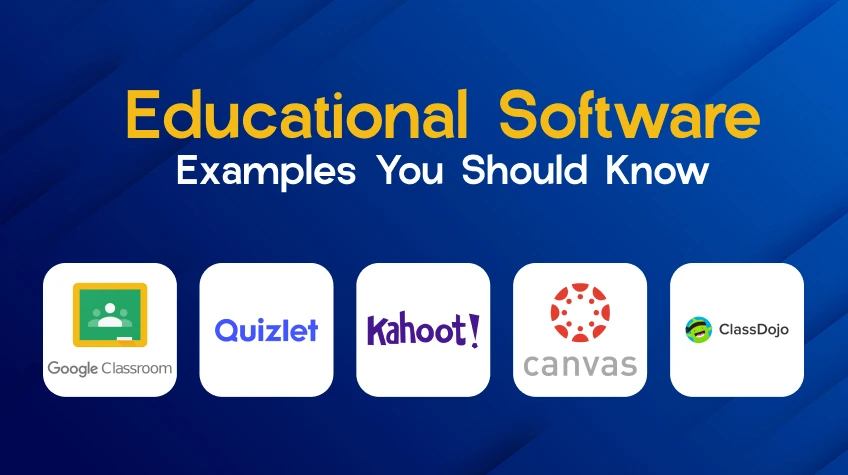
Teachers can monitor progress, engage students, and manage courses with the use of educational software. Eleven real-world examples are covered. Every item describes the tool’s capabilities, target audience, and areas of weakness. Suggestions that educators and administrators can implement.
Classrooms were altered. The tools also did. These days, teachers do more than just stand at a whiteboard. Pupils do more than simply copy their notes. These days, software is in charge.
However, which tools are truly effective? These are eleven. Not a marketing post. Just what each accomplishes, who it benefits, and where it fails.
1. Google Classroom
This was created by Google for educational institutions that currently use Google Drive. It’s not costly. It’s easy. It’s also present everywhere.
What it accomplishes: Teachers can create classes, post assignments, and include deadlines for each. Students turn in their work in Slides or Docs. Teachers assign grades and provide feedback. All within a single dashboard.
The benefit: If your school uses Gmail, no training is required. Daily summaries are available to parents. It is compatible with all devices.
The drawback is that multiple-choice questions are not automatically graded. No integrated plagiarism detector. Reporting is fundamental.
Ideal for: Teachers in grades K–12 looking for a free LMS. Excellent for modest after-school programs as well.
Noteworthy: More than 150 million educators and students utilize it. It’s not a flex. That indicates that it just functions.
2. Quizlet
Flashcards became digital. Then they became smart.
What it does: Students can use millions of public flashcard sets or create their own. Matching games, practice exams, and audio are a few ways the software assesses you. AI teaching is included in the premium version.
The free version is generous, which is a plus. Operates offline on a mobile device. More than 100 languages are supported.
The drawback: Excellent for fact memorization. Terrible at comprehending ideas. By just flipping cards, students can cheat without knowing anything.
Ideal for: Vocabulary exercises. study of foreign languages. Students studying medicine or law have thousands of terms to commit to memory.
Real-world example: Every Monday, a Spanish teacher at a high school assigns Quizlet sets. Students drill for fifteen minutes. In a single semester, Friday quiz scores increased by 30%.
3. Kahoot!
Have a classroom trivia night. Loud. Quick. Competitive.
What it accomplishes: Multiple-choice tests are made by teachers. Students use a game code to join. They use their phones to respond. Accuracy and speed earn points. Leaderboard is updated in real time.
The positive: Children beg to play. Suitable for any topic. Up to 100 participants can use the free version.
The bad: Only surface-level inquiries. Guessing, not thinking, is rewarded by the timer. Public scoreboards are despised by some pupils.
Ideal for: Studying the day before an exam. Fun at the end of the unit. Icebreakers for brand-new courses.
Use the “ghost mode” function. Pupils compete against their previous results. Less strain. More repetition.
4. Canvas
This is the robust LMS. Academic institutions adore it. It is used in large areas.
Course design, grading, rubrics, peer evaluations, mastery pathways, and analytics are among its functions. Everything is done by it. integrates with hundreds of other programs, like Zoom and Turnitin.
The benefit: Extremely adaptable. It can be used to create whole degree programs. The mobile app is good. There is an open source version.
A steep learning curve is a drawback. For elementary school teachers, it is too complicated. Certain features are more expensive.
Ideal for: Academic institutions. K–12 districts with specialized tech coaches also utilize it.
Numbers: Over 30 million users across 70+ countries.
5. ClassDojo
Teachers at elementary schools face a different issue, not the delivery of content, but the control of behavior.
What it does: Teachers give or take away points for certain behaviors. “Helped a classmate” is worth a point.”Out of seat” loses one. Students’ avatars are adorable caricatures. Real-time updates are visible to parents.
The positive: Good behavior is rewarded. In fact, parents check it. Teachers get it for free.
The drawback: Not for older pupils. No tools for creating lessons.
Ideal for classes in grades K–5. Behavior tracking is important in special education settings.
Real-world example: ClassDojo is used for transitions by a first-grade teacher. If students clean up in less than two minutes, they receive a point. When they get 100 points, they have a class celebration. It always works.
Also Read: 10 Best Website Chatbot Examples of 2026
6. Nearpod
PowerPoint became dull. Nearpod fixed that.
What it accomplishes: Slide decks are uploaded by teachers. They can add interactive layers after that. Open-ended inquiries, surveys, virtual reality excursions, and draw-on-screen exercises. Students use a code to join. Instructors view real-time responses.
The benefit is that it adds interactivity to any lecture. Suitable for hybrid, remote, or in-person settings. A vast collection of pre-made classes.
The drawback: Storage and class size are limited in the free edition. Each teacher’s annual cost for full features is $120. Building effective lessons requires time.
Ideal for: Instructors who wish to segment 45-minute lectures. VR field trips are a favorite among science instructors. Teachers of history employ primary source analysis.
Expert advice: Use their library to start with a free Nearpod lesson. Avoid building your own just yet. First, see what works.
7. Coursera

Not all pupils are seated in actual classrooms. The rest is served by Coursera.
What it accomplishes: collaborates with more than 300 colleges, including Stanford, Yale, and Michigan, and provides comprehensive degrees, specializations, and courses with video lectures. Tests that are automatically evaluated. Assignments that undergo peer evaluation.
Real university content is a plus, inexpensive in comparison to conventional tuition. You can audit a lot of courses for free.
The drawback: Free courses don’t involve teacher involvement. There are low completion rates. The cost of certificates ranges from $50 to $200 per course.
Adult learners are the ideal audience, individuals who shift careers, students in college who are augmenting their major.
There are 140 million students. 7,000+ classes. College won’t be replaced by it just yet. However, it’s winning the market for online credentials.
8. Edmodo
Consider this to be a classroom version of Facebook. but secure, and unrestricted.
What it accomplishes: Instructors publish tests, polls, and assignments. Students work together in small groups. In order to track development, parents are given their own login, which connects to Office and Google Drive.
The benefit: Free. Parent accounts are very important. Students are kept interested by social media.
The interface feels outdated, which is a drawback. Fewer users than Google Classroom. Some features can be upgraded for a fee.
Ideal for: K–12 educators who wish to provide parents with free access. Excellent for student group project-based learning as well.
Noteworthy: Edmodo was a pioneer in the LMS space. It is no longer fashionable. However, millions continue to utilize it due to its dependability.
9. Socrative
Sometimes all you need is a quick check of the pulse. Did they understand it or not?
What it accomplishes: Instructors start a live test. Students use any gadget to respond. The results appear immediately. It takes 60 seconds for exit tickets.
The good: Easy. Student accounts are not required. Spreadsheets are exported from reports.
The drawback is that it has a very limited focus and is not a complete LMS. Each room in the free edition may accommodate up to 50 students.
Ideal for: Formative evaluation. Before continuing, be sure you hold brief wrap-ups at the end of class.
Real-world example: Every Friday, a math teacher uses Socrative exit tickets. Three inquiries. It takes five minutes. Identifies the kids who require additional assistance by Monday.
10. Remind
Not everyone receives emails. Sometimes texting is the way to go.
What it accomplishes: Instructors use push notifications or texts to make announcements. Phone numbers are hidden from view. Translations are available in over 90 languages. Plan your messages ahead of time.
The benefit is that it may be used on any text-capable phone. Messages are still sent to parents who do not own smartphones. Teachers get it for free.
One-way messaging, unless you pay, is a drawback. Students find it difficult to respond. Not for instruction on a daily basis.
Ideal for: Low-income schools. Changes in practice are communicated by sports coaches. Reminders for field trips.
Numbers: Eighty percent of public schools in the United States use them. It’s not a coincidence. It resolves a genuine issue that email is unable to.
11. ProProfs Training Maker
The majority of LMS tools target K–12 or higher education. Corporate and vocational individuals are the focus of ProProfs.
It is a cloud-based course creator. AI aids in the creation of tests. Includes slides, PDFs, and videos, grading automatically, tracking of progress, and comprehensive reports.
The benefit: No technological expertise is required. works for certification preparation, compliance courses, and staff training. There is a free trial available.
Overkill for everyday K–12 instruction is a drawback. The interface seems professional rather than lighthearted.
Ideal for: Vocational schools. centers for test preparation. programs for teacher preparation. departments of corporate human resources.
Real-world example: ProProfs is used by a healthcare training organization to obtain HIPAA certification. The course is completed at the student’s own speed. The HR system receives automated quiz results directly.
How to Choose the Right Software
Don’t pick tools because they’re popular. Pick based on your actual problem.
| If you need… | Use this… |
| A full classroom system | Google Classroom or Canvas |
| Students to memorize facts | Quizlet |
| A fun review game | Kahoot! |
| Behavior management | ClassDojo |
| Interactive lessons | Nearpod |
| College-level courses | Coursera |
| Parent communication | Remind or Edmodo |
| Quick pop quizzes | Socrative |
| Employee training | ProProfs |
The majority of educators utilize a combination. Just one LMS. One test instrument. One app for communication. Avoid adding ten tools at once. Pupils become perplexed. Parents become irritated. Keep things simple.
Final Take
Bad instruction cannot be corrected by educational software. However, effective instruction with the appropriate resources is more effective.
Use just one tool at first. Learn it. Next, add one more. Vocabulary test on Quizlet on Monday. Kahoot will be reviewed on Friday. For anything else, use Google Classroom. The pattern is that. Not additional tools. Make better use of a few.