Waterfall methodology is a linear, sequential project management approach with five distinct phases: Requirements, Design, Implementation, Testing, and Maintenance. We explain each stage, when to use Waterfall, its advantages and drawbacks, and how it compares to Agile. Perfect for beginners or anyone managing predictable projects.
You don’t guess your way through a skyscraper. You don’t change bridge plans halfway through. Some projects need a straight line from start to finish. No loops. No surprises. That’s Waterfall. Old-school? Yes. Still works? Absolutely.
What Is Waterfall Methodology?
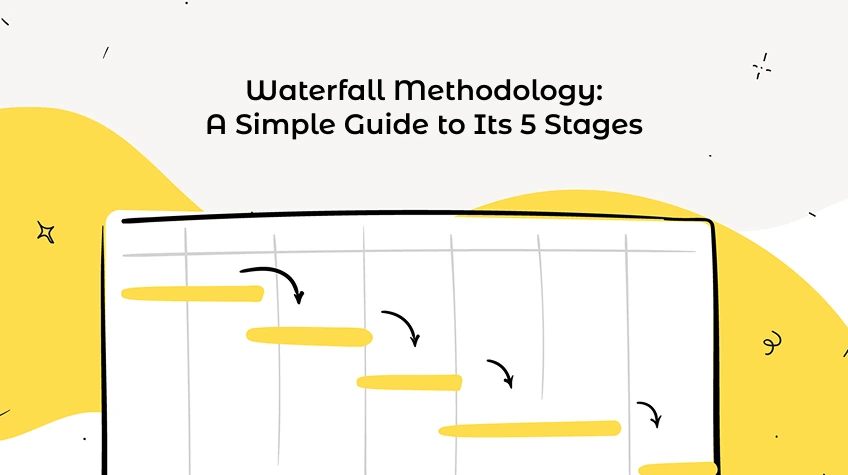
Waterfall is a linear, sequential project management method. You complete one phase before touching the next. Progress flows downward like, well, a waterfall.
Winston Royce described it in 1970 for software development. But construction, manufacturing, and even government projects still use it today.
Three core rules:
Finish a phase 100% before moving on.
No going back. Changes mean restarting.
Document everything upfront. Stakeholders sign off early, then step back.
Sound rigid? It is. That’s the point.
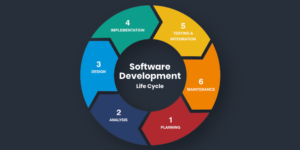
The 5 Phases of Waterfall
Different industries tweak the names. But the gist of it remains the same.
Phase 1: Requirements
You don’t build anything yet. You listen.
This phase captures everything the final product must do. You talk to stakeholders, end users, sponsors. You ask: What problem are we solving? What features are non-negotiable?
Output: A Software Requirements Specification (SRS) document. Or just a rock-solid project requirements doc.
What goes in it:
Project scope and timeline
Resources needed
Team assignments
Dependencies
Quality metrics
Budget
Why this phase matters:
If you miss something here, you’re screwed later. Waterfall gives you no second chance. So you over-document. You get sign-offs. You leave no ambiguity.
Time spent: Often the longest phase. That’s okay.
Phase 2: Design
Requirements are locked. Now you figure out how to build it.
Design splits into two levels:
High-Level Design (Logical Design)
The big picture. System architecture. How major components talk to each other. Data flow. User interfaces.
Low-Level Design (Physical Design)
The nitty-gritty. Database schemas.Programming languages. Hardware specs. Specific algorithms.
Output: Software Design Document (SDD) or technical blueprints.
What happens here:
Designers, architects, and senior devs map everything. They create schedules, milestones, and exact deliverables. No coding yet. Just plans.
Why it’s critical:
Good design makes implementation boring. That’s the goal. Boring is predictable. Predictable is on time.
Phase 3: Implementation (Coding / Construction)
Now you build. Developers take the design documents and write code. Construction workers pour concrete. Manufacturers assemble parts.
What this looks like in software:
Break the system into modules
Write unit tests as you go
Integrate pieces step by step
Document every change
In construction:
Follow blueprints exactly. Foundation first. Then framing. Then electrical. No skipping.
The danger zone:
If you discover a design flaw now, you can’t just patch it. You might need to go back to Phase 2. That’s expensive. That’s why upfront planning is everything.
Tracking progress:
Use Gantt charts or project management software. Each task has a clear start and end. No overlap between phases.
Phase 4: Testing (Verification)
Code is written. Walls are up. Now you check if it actually works. Testing in Waterfall happens after implementation, not during. That’s a key difference from Agile.
Types of testing:
Unit testing: Each module alone.
Integration testing: Modules together.
System testing: The whole product.
User acceptance testing (UAT): Clients try it out.
What testers do:
Write test cases. Run them. Document every bug. Send issues back to developers. Fixes happen. Then test again.
The scary part:
If testing finds a major problem say, the requirements were wrong you may need to restart from Phase 1. That’s rare but painful.
Output: Test reports, bug logs, signed-off verification.
Phase 5: Maintenance
Product is live. Client is using it. You’re not done.
Maintenance covers everything after deployment:
Corrective: Fix bugs users found.
Perfective: Add small improvements.
Adaptive: Update for new environments (OS upgrades, new browsers).
How long does maintenance last?
As long as the product lives. For software, maybe years. For a building, decades.
Who does it?
Sometimes the original team. Sometimes a separate support team. But the documentation from earlier phases becomes their bible.
When to Use Waterfall (And When to Run)
Use Waterfall when:
Requirements are crystal clear and won’t change.
The project is small to medium-sized.
You have fixed budget and deadline.
Compliance or regulations demand documentation (healthcare, aerospace, government).
Your client wants to sign off upfront and disappear.
Don’t use Waterfall when:
Requirements are fuzzy or likely to shift.
You need constant customer feedback.
The project is large and complex with many unknowns.
You’re building something innovative (Agile fits better).
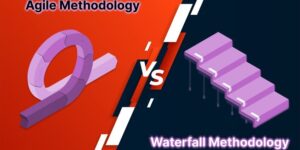
Waterfall vs. Agile: Quick Comparison
Waterfall
Agile
Linear phases
Iterative sprints
Plan everything upfront
Plan as you go
Customer involved at start and end
Customer involved continuously
Changes are costly and hard
Changes expected and welcomed
Testing at the end
Testing throughout
Best for predictable projects
Best for evolving products
Both work. Just different jobs.
Advantages, Disadvantages, and Real-World Examples
Advantages of Waterfall
➢ Clear structure
Anyone can look at the plan and know what comes next. No confusion.
➢ Strong documentation
Every decision, every requirement, every design choice is written down. New team members catch up fast.
➢ Easy progress tracking
Milestones are binary: done or not done. You always know how close you are to finishing.
➢ Fixed budget and timeline
Because you plan everything upfront, estimates are more accurate. Stakeholders like that.
➢ Disciplined process
No skipping steps. No “we’ll fix it later.” Later never comes in Waterfall.
Disadvantages of Waterfall
➢ Rigid
Change is painful. If a stakeholder wants a new feature halfway through, you’re in trouble.
➢ Late testing
Bugs found at the end are expensive to fix. You might have to redo entire phases.
➢ No customer feedback during development
You build exactly what was specified. But what if the customer changed their mind? Too bad.
➢ Slow delivery
The whole product arrives at once, not in pieces. For large projects, that could be months or years.
➢ Assumes perfect foresight
Waterfall pretends you know everything at the start. Real projects rarely work that way.
Real-World Examples
➢ Construction
You can’t build the roof before the foundation. Every step depends on the last. Waterfall is the only sane choice.
➢ Manufacturing
Retooling a factory costs millions. You better have the design perfect before cutting metal.
FDA approval requires proof of every design decision. Waterfall provides the paper trail.
Waterfall in Software? Sometimes.
Many dev teams abandoned Waterfall for Agile. But some software projects still fit:
Embedded systems (car brakes, pacemakers)
Safety-critical software
Projects with fixed-price contracts
When the technology is well understood
Even then, teams often use a hybrid: Waterfall for planning and requirements, Agile for development.
Summary of the 5 Stages
Phase
What Happens
Key Output
Requirements
Gather and document what the product must do
SRS document
Design
Create architecture and detailed plans
SDD / blueprints
Implementation
Build the product
Working software or physical product
Testing
Verify it works and meets requirements
Test reports, bug fixes
Maintenance
Support, fix, and update after release
Patches, updates, support logs
Bottom Line
Waterfall isn’t dead. It’s just specialized. Use it when you know exactly what you’re building and nothing will change. Construction. Manufacturing. Regulated industries. Simple software with a fixed scope. For everything else? Agile, Kanban, or a hybrid.
But every project manager should understand the waterfall model. Because sometimes the straight line is the smartest path.