
Senior developers should treat AI tools as powerful accelerators or eager interns, using them for boilerplate code and repetitive tasks while retaining control over architecture and security. Junior developers are encouraged to use code generators as learning tools, but not as a crutch, and to always review and test AI-generated code thoroughly. Learn about best practices for prompting, reviewing, and testing AI-assisted code, emphasizing security, collaboration, and the importance of human oversight.
According to The State of Web Dev AI 2025, 91% of developers use AI for code generation, with GitHub Copilot, Tabnine, JetBrains AI, Supermaven, Qudo, Amazon Q Developer, and Aider ranking as the top tools.
Another report states that DevOps teams are accepting between 20% and 35% of the code recommendations they receive.
“Developers of any skill level can greatly increase productivity by using generative AI for code development,” says Bharat Sandhu, SVP and CMO of SAP Business Technology Platform.
These advanced tools speed up development cycles, reduce repetitive tasks like debugging and maintaining legacy code, and consistently deliver reliable, context-aware results allowing teams to concentrate more on innovation and solving complex problems.
Code generators are one of several AI-driven shifts that are transforming the developer experience, developer productivity, and code quality. How should developers use these tools to get the best results? We reached out to several experts, who kindly answered our questions and suggested some best practices.
How should senior developers use AI code generators?
When code generators first emerged, IT leaders felt that advanced developers were getting the most value from them.
Those developers had the experience to express their requirements through prompts, assess the response, and fix issues by iteratively improving the code.
“Senior developers are in the best position to use AI code generation tools since they can quickly understand what the generated code is doing, grasp its trade-offs, and guide the AI tool to shape the code to the desired outcome,” says Trisha Gee, lead developer advocate at Gradle. “But, they’re less likely to use AI tools since they’re already experts at using existing tools and can oftentimes create the needed code more quickly than an AI tool”.
Jeff Foster, director of technology and innovation at Redgate, suggests that a small change in mindset can help the most senior developers recognize the opportunities for using code generators.
“Advanced developers should treat code generators like eager but inexperienced interns,” says Foster. Use them to speed up boilerplate work and explore ideas, but don’t trust them without question.”
CIOs and CTOs should remind their most senior developers of the opportunities and business needs for their advanced skills beyond just coding challenges. “Advanced developers should see AI code generators as multipliers not replacements,” says Rukmini Reddy, SVP of engineering at PagerDuty.
The real value is not speed alone; it’s freeing up capacity, so advanced developers can focus on higher-leverage work such as system design, performance optimization, and mentorship.
Two experts shared examples of how advanced developers are using code generators.
“GenAI is most successful when used for auto commenting and documentation,” says Rob Whiteley, CEO of Coder.
It removes redundant or tedious administrative work that keeps most developers from getting into a state of flow. We also wanted to learn about the more advanced coding challenges that require senior developers’ skills, but can be time-consuming, and there are error-prone coding exercises.
“Advanced developers should treat AI code generators as powerful accelerators rather than autonomous authors,” says Ori Bendet, VP of product management at Checkmarx.
AI code generators are ideal for boilerplate code generation, repetitive test scaffolding, infrastructure-as-code templates, explaining obscure syntax, and prototyping algorithms before optimization. However, seasoned developers must retain control over architecture, security, and performance trade-offs.
How should junior developers use code generators?
If the stats are true and 91% of developers are using AI code generators, then the implication is that CIOs and CTOs see the value in allowing junior developers to use them.
Junior developers should consider generative AI as a coding companion that helps them during projects, prompting it with questions such as, “How can we make this code more reliable and easier for others to understand?”
“Junior developers can benefit from AI tools, but relying on them heavily is not encouraged,” says Yonatan Arbel, developer advocate at JFrog.
The Abstraction Problem
AI over-engineers simple issues. You can obtain an abstract factory with dependency injection, three interfaces, and a builder to read a YAML file with six keys by requesting a method to parse a configuration file. When we requested a tool to combine two dictionaries, we received a 90-line class hierarchy with a strategy pattern. For two dictionaries.
The opposite is true for complex problems. If you request a distributed task scheduler, you will receive a simple queue that lacks observability hooks, backpressure, and failure handling. In order to manage the distributed state across several service instances, we requested a rate limiter. What we received was a basic time-based in-memory counter. The sleep() function is critically incorrect for a distributed system, but it is correct for a single-process script.
What degree of abstraction is suitable for your situation is not understood by the model. It makes decisions based on statistical frequency rather than engineering judgment after seeing thousands of instances of both patterns in its training data.
It is your responsibility to clearly state the abstraction level:
It’s a utility function. Keep things simple. Just a simple function that accepts a file path and returns a dictionary no classes or patterns. Raise FileNotFoundError if the file is not present. Raise a ValueError with a detailed notice if parsing is unsuccessful.
You are not micromanaging the AI by doing this. This is just like giving each team member precise technical guidance, and it is exactly what a competent tech lead does.
What are the benefits of using generative AI for code?

Both developers and non-developers can use AI code-generating software, which is typically simple to use and available for a variety of programming languages and frameworks.
The use of AI code-generation software tools has three primary advantages:
- By enabling developers to produce code more quickly, it eliminates the need for them to manually write lines of code, freeing them up to concentrate on higher-value tasks.
- Computer code may be tested and debugged rapidly and effectively with generative AI.
- Non-developers can also learn how to write code by using generative AI.
How does generative AI for code differ from low- and no-code?
Quick code generation is possible with low-code and generative AI. Low-code and no-code technologies, however, rely on pre-made component libraries and templates. These technologies allow non-programmers to utilize drag-and-drop controls and visual interfaces, which helps them learn more effectively.
ML libraries of components and templates are not used by generative AI for code software. The program generates code snippets from scratch that might produce the desired outcome the developer is trying to reach after reading their requirements.
Both professional developers and ordinary users can use AI code-generation software, while low-code and no-code technologies often target non-developers and business users with less technical know-how.
Examples of currently available generative AI code generation tools

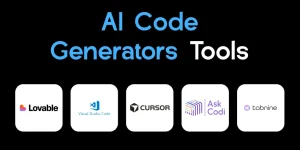
IBM® Watsonx Code Assistant®: IBM Watsonx Code Assistant uses AI-generated advice to assist developers in writing code. Developers can create code for specific use cases using pre-existing source code or submit requests in simple English.
GitHub Copilot: GitHub Copilot is a pre-trained AI model and code completion tool that works with HTML and CSS and can write code in a variety of languages, including JavaScript, Go, Perl, PHP, Ruby, Swift, and TypeScript. It may examine your code for vulnerabilities and apply machine learning to recommend code depending on context.
TabNine: TabNine is an AI code assistant that learns from the codebase and offers code generation and real-time code completion. It consists of documentation, language identification, and code formatting. Java, Python, JavaScript, SQL, and more widely used languages are supported by TabNine, which also interfaces with code editors such as VSCode, IntelliJ, and PyCharm.
Ask Codi, CodeT5, WPCode, Codeium, CodePal, and mutable.ai are further generative AI coding tools.
General-purpose generative AI programs like Google BARD and OpenAI’s ChatGPT produce code in response to a text query made by a user, but these conversational AI apps are standalone tools and not integrated plug-ins that operate directly in a developer’s own environment.
Final thoughts
Code generation is not the only thing, as AI capabilities have become available across the software development life cycle. DevOps teams that learn to use generative AI capabilities effectively and safely will have more opportunities to deliver business value while focusing on higher-level technical challenges.