Is your LMS equipped to handle big numbers of students without breaking? The LMS tech stack you choose sets the stage for whether your platform is smooth sailing or a sinking ship. This article will guide you through every layer you need to choose wisely.
Why Your LMS Tech Stack Choice Matters
Can the wrong technology stack limit your Learning Management System before it even launches? Absolutely. Your LMS is much more than a platform for hosting courses and assessments. It must deliver a smooth learning experience, support growing numbers of users, protect sensitive data and adapt to future business needs. Choosing the right technology stack from the start ensures your platform remains scalable, secure and cost effective while reducing the need for expensive redevelopment later.
A well chosen LMS tech stack helps you:
- Deliver faster page loading speeds and a seamless user experience.
- Support video lessons, live classes and interactive learning content without performance issues.
- Scale efficiently as the number of learners, instructors and administrators grows.
- Reduce long term maintenance and infrastructure costs.
- Strengthen security to protect user information and learning data.
- Simplify the integration of third party tools, payment gateways and communication platforms.
- Add new features, including AI powered personalisation and gamification, with minimal disruption.
- Build a flexible platform that can evolve alongside changing business and learning requirements.
The technology stack forms the foundation of your Learning Management System. Every feature, integration and user interaction depends on it. Investing in the right technologies during the planning stage helps avoid performance bottlenecks, unnecessary expenses and scalability challenges, ensuring your LMS continues to perform reliably as your organisation grows.
Front End Frameworks That Shape User Experience
We all know that the front end is what the learner sees and experiences directly. If a page is loading in 5 seconds, or if you can’t find the course dashboard immediately, the learner will not stick with it to see that high-quality content.
⮞ React
React is a popular choice for LMS development because its component based architecture enables developers to build reusable features such as dashboards, quizzes and course modules. It delivers fast performance and creates responsive user experiences across both web and mobile platforms.
⮞ Angular
Angular is well suited for large scale Learning Management Systems that require a structured architecture and long term maintainability. Its built in features simplify the development of complex applications while supporting enterprise level performance and scalability.
⮞ Vue.js
Vue.js is a lightweight framework that is easy to learn and quick to implement, making it ideal for startups and small to medium sized LMS projects. It provides a responsive interface for interactive features such as assessments, live polls and learner dashboards.
In addition to the front-end framework, when you design a learning system you’ll need to take into account a few other elements:
- Responsive design frameworks like Tailwind CSS and Bootstrap help you ensure that your LMS layout displays correctly on a desktop, tablet and phone by maintaining a single codebase rather than having separate websites for each.
- Progressive Web App technologies allow learners to use course content offline, which is valuable for students in areas with poor internet connectivity.
- Accessibility Standards such as WCAG compliance ensure that learners with vision or motor impairments have a comfortable experience on the platform, which is becoming a legal requirement in many jurisdictions.
Almost all learning platforms today are heavily reliant on video, so it’s important that the front end can manage this efficiently. By including support for adaptive bitrate streaming, which reduces the video quality automatically based on the speed of a learner’s based on the speed of their connection, buffering issues are less common and are less likely to drive a learner away from a lesson halfway through.
Back End Technologies Behind a Reliable LMS
Although the front end is what users interact with, the back end is responsible for everything behind the scenarios, such as user authentication, course logic, grading calculations and handling the database. It needs to be reliable and secure as well as flexible enough to handle a large number of concurrent requests, especially during times where users are submitting exams or polishing course enrolments for live classes.
As it can efficiently manage several concurrent connections, Node.js is a very common choice to build the LMS back end, which is especially well suited for LMS platforms that have a live chat and notification services or real time progress tracking. As it is designed to be non blocking, it can quickly respond to requests and does not wait for the previous one to finish before moving onto the next one.
Python is also often utilized in developing the back end of LMS platforms, especially when more complex data processing is required, for example generating graphic reports for student performance. Django is a popular choice because it provides good security out of the box and has a very organised project structure which helps when developing larger projects with a development team.
Ruby on Rails is a great choice for teams that want clean and readable code, and fast development. It has a lot of conventions built in that spare developers from too many decisions, allowing a fully working product to be delivered more quickly, which can then be refined by user feedback.
Java with Spring Boot is more common for very large enterprise level deployments, and is a strong choice in education contexts where there may be many compliance requirements, and the need to interface to third party software like a student information system or payroll.
Key back end responsibilities of an LMS are:
- User roles and permissions for students, instructors and administrators
- Course enrolments, certificates and grade creation
- File uploads for assignments and other materials
- Background jobs like sending reminder e-mails or generating reports
- APIs to allow the front end to set and query data from the database and third party services
Choosing the Right Database for Your Learning Platform
From user profiles, scores on quizzes, and course completion certificates, everything in your LMS is stored in a database. Picking the right database type can help reduce the time to retrieve information, help your system scale, and ensure your data is safely stored for years to come.
Relational databases such as PostgreSQL and MySQL organise data into structured tables with clear relationships between them, such as linking a student to their enrolled courses and grades. These databases are a natural fit for LMS platforms because most of the data that needs to be stored about courses, timetables, and students mirrors the structure of relational databases.
NoSQL databases such as MongoDB, are a good fit for situations where there is no fixed structure to store, for example varying formats for course content, or logs of user activity. NoSQL databases also scale horizontally quite well, making it easier to add more servers to a database cluster to increase capacity rather than needing to just upgrade a single server time after time.
Many modern LMS platforms actually blend both styles:
- A structured relational database for academic data such as grades, enrolments and certificates
- A NoSQL database for more flexible data like activity logs or messaging that changes often
Also Read: 10 Best WordPress LMS Plugins for Online Courses in 2026
Cloud Hosting and Infrastructure That Support Growth
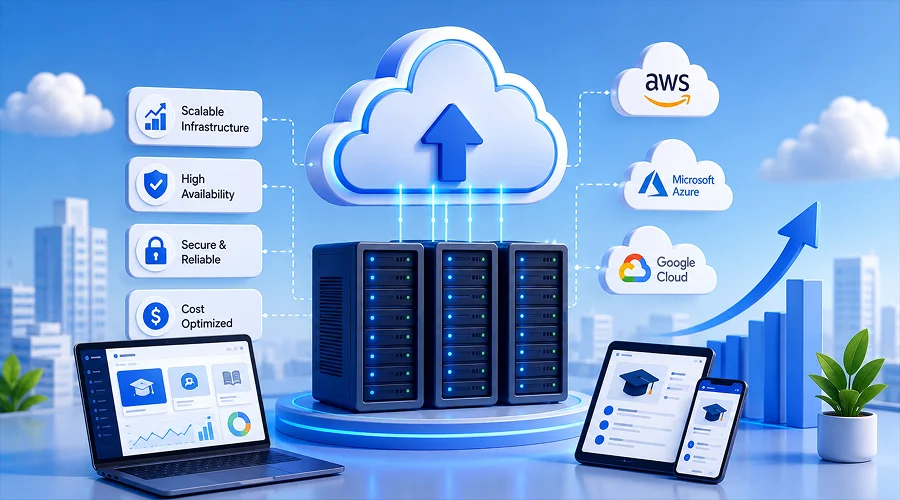
Where your LMS is hosted can be just as important as how it is built. Selecting the right cloud hosting provider has a strong impact on uptime, how quickly pages load from different regions and how easily your cloud can handle traffic spikes such as enrolments or when assessment periods start.
Amazon Web Services (AWS) is still the top choice for many LMS platforms and offers services, such as scalable video storage and managed databases with a built-in content delivery network that make sure your consumers have a fast, responsive service.
If your business is centred around Microsoft’s Office 365, Azure is a natural candidate and will integrate seamlessly with your Active Directory.
Google Cloud Platform is a great choice for education platforms looking to leverage machine learning to provide a better user experience for students and staff, e.g. through plagiarism detection or content recommendations.
Key infrastructure choices to consider:
- Content delivery networks (CDN) – leveraging CDN caching means that copies of your course videos and learning content are cached close to your consumers, saving on bandwidth and storage costs while giving a much faster experience for learners.
- Auto scaling – adding capacity to your servers during peak usage. When you run applications such as live streaming of examinations, auto scaling lets you scale out servers to cope with traffic spikes as an entire class logs in behind the scenes to take that exam.
- Load balancing – using a load balancer to split traffic out to a number of servers. Light load can be handled by small instances while at peak season users were looking to register, all traffic is loaded out for maximum performance.
- Containerisation – using a tool such as Docker, you can package up your application and its dependencies in a consistent way. Using a tool such as Kubernetes you can automate the process of deploying your application across different environments.
Uptime is also critical for education platforms. A brief outage during a scheduled exam can impact hundreds of students at once. If you need to choose between a twice-yearly outage that’ll cause your entire business to panic and a 99% uptime SLA with a simple alert mechanism, the former has huge reputational consequences. Choosing a host with a good uptime SLA and the right monitoring tools to alert you to “alarming” conditions is vital to your platform’s success and longevity.
APIs and Third Party Integrations Every LMS Needs
An LMS rarely operates in isolation. It typically needs to connect with payment gateways, video conferencing tools, email services and sometimes existing school or corporate software already in use. Building the right integration layer determines how smoothly these connections function.
Common integrations include:
- Payment gateways such as Stripe or Razorpay for course purchases and subscription billing
- Video conferencing tools like Zoom or Google Meet for live classes, connected through their respective APIs
- Email and SMS services for sending reminders, certificates and progress notifications automatically
- Single sign on providers allowing users to log in with existing organisational credentials rather than creating new accounts
- Analytics tools that feed usage data into dashboards for administrators to track engagement and performance
Building these connections using well documented, stable APIs reduces the risk of features breaking when a third party service updates its own systems. A thoughtfully designed integration layer also makes it easier to swap one service provider for another later, such as changing payment processors, without rebuilding large parts of the platform.
Keeping Your LMS Secure and Compliant
Strong security is essential for any Learning Management System because it protects sensitive information such as user data, payment details and academic records. Implementing encryption, role based access control, regular software updates and routine security testing helps safeguard the platform against cyber threats while ensuring a secure learning experience.
Looking for the Right Technology Partner to Build a High Performing Learning Management System?
Choosing the right tech stack is the foundation of a secure, scalable and high performing Learning Management System. At WeeTech Solution Pvt Ltd, we help businesses, educational institutions and training providers develop custom LMS solutions that deliver seamless learning experiences and support long term growth.
From technology consulting and custom development to third party integrations and ongoing support, our experts ensure every solution is tailored to your business goals.
Why Choose WeeTech?
- Custom LMS development
- Expert tech stack consultation
- Secure and scalable solutions
- Third party integrations
- Responsive web and mobile development
- End to end support and maintenance
Whether you are building a new LMS or upgrading an existing platform, our team is ready to help you create a future ready solution.
Conclusion
All it takes to build an LMS that will run fast, scale smoothly, and still serve its learners well in the future is the right technology planning. Whether it’s deciding on your front end frameworks, choosing the right database, or assessing your cloud and security strategy, it all comes down to the decisions you make at this critical stage. Need help with building an LMS for your organization? Get advice from a team that has been doing the heavy lifting in this space for dozens of industries. Contact WeeTech Solution Pvt Ltd and click Get Your Free LMS Consultation to discuss your project.