Developing a mobile app is just the beginning of the process. The real task starts when it is made available on the Google Play Store or Apple App Store. Getting people to find and download it is a big challenge, especially when there are thousands of other apps already available. Yes, simply publishing an app is not enough to attract users. That’s when App Store Optimization (ASO) comes in handy. It improves an app’s visibility in search results, makes its store page more attractive and encourages more people to download it. Irrespective of the kind of application (gaming, shopping, fitness or business app), App Store Optimization can help you reach the right users. In this article, we will explain what App Store Optimization is, how it works, why it matters for app growth and what you can do to improve your app’s performance. So, without any further ado, let’s get started…
What Is App Store Optimization (ASO)?
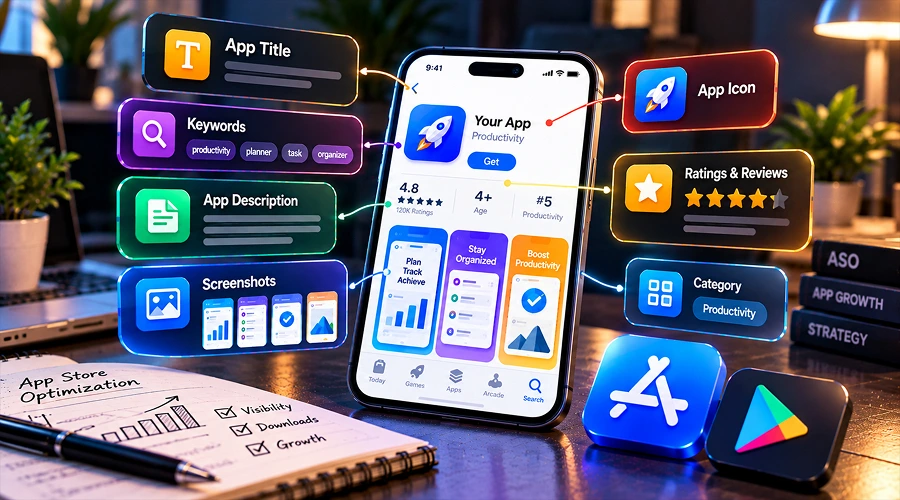
App Store Optimization (ASO) is the process of improving an app’s store listing so that more and more people can find and download it. It mainly focuses on improving the app’s title, description, keywords, icon, screenshots and ratings. ASO makes your app appear in relevant search results and encourages people to download it. For example, if you have developed an online shopping app, ASO can help more people discover it when they search for terms such as “online shopping app” or “buy clothes online.” ASO also improves your app listing by clearly showing its features and benefits. ASO works like Search Engine Optimization (SEO) but it focuses on mobile apps and app stores to improve the ranking of your online application and encourage people to download it.
How Does App Store Optimization Work?
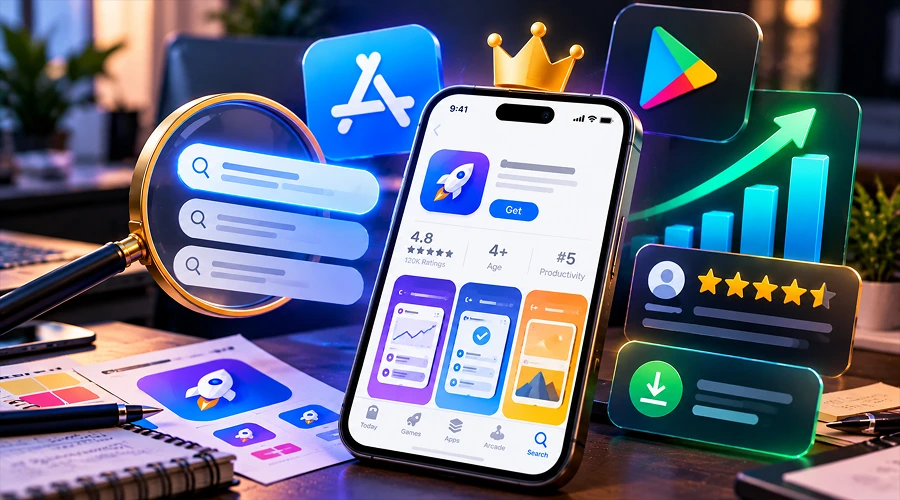
App Store Optimization mainly focuses on two important aspects of app discovery i.e., visibility and conversion. Here is how it works:
1. Improving app visibility
First, it improves app visibility. It helps your app appear when users search for relevant terms or browse app store categories. This involves choosing the right keywords, giving the app a suitable title and providing clear information about it. App stores consider factors such as keywords, search relevance, user ratings and app usage when deciding which apps to show in search results. However, it is worth noting that both Google Play and the Apple App Store use different methods to rank apps.
2. Conversions
The next step is to increase downloads. Know that only improving app’s visibility won’t help much. Convincing users to download the app is very important. ASO takes care of that too. Having a clear description, good screenshots, an attractive icon and positive reviews is crucial to encourage people to download the app. When users find the app useful, they are more likely to download it. ASO helps the right people find your app and encourages them to install it.
Why Does ASO Matter for Your App’s Growth?
ASO helps businesses attract users and build a strong presence in the mobile app market. It offers numerous such benefits, including:
1. Improves Your App’s Visibility
App stores are already swamped with millions of applications across different categories. Exploring every single option is not feasible for users. That’s when they rely on search results, recommendations and category listings to find what they need. If your app does not appear for relevant searches, potential users may never discover it. ASO helps improve your app’s chances of appearing in front of people who are already interested in its features or services.
2. Helps Increase Organic Downloads
Organic downloads happen when people find your app through searches, recommendations or app store browsing without paid ads. ASO can help increase these downloads over time. This makes ASO even more useful for startups and small businesses with limited budgets. However, it is worth noting that the results depend on competition, app quality and how well your listing meets users’ needs.
3. Makes Your App More Appealing to Users
Modern users do not download any app just like that. They do check an app’s icon, screenshots, ratings, reviews and description before downloading it. A clear and attractive listing helps users understand its features and benefits. Accurate information and clear description help users know what to expect from the app. ASO makes your app more appealing to users by providing clear description and necessary information about it.
4. Reduced Reliance on Paid Advertising
Advertising can attract app users, but it can be expensive. That’s when ASO comes in handy. It helps people find your app through organic search and significantly reduces your reliance on paid campaigns. However, it is worth noting that regularly updating your app listing and using ASO with advertising can help attract more users and grow your app over time.
5. Helps You Reach the Right Audience
Reaching the right audience in the highly competitive app market is the biggest task. ASO turns out to be useful here. ASO helps you target searches that are relevant to your app’s purpose and features. This can bring in users who are genuinely interested in what you offer. Using relevant keywords in your app listing can help these users find your app. When an app meets their needs, they may use it regularly and recommend it to others as well.
6. Builds Trust and Credibility
Users today do not just download any app. They first check an app’s ratings and reviews before downloading it. A listing with clear information, useful screenshots and genuine positive feedback can create a better first impression. ASO helps businesses understand these elements and make use of user feedback and improve their apps. Instead of buying fake reviews, they focus on providing a good user experience, addressing concerns and encouraging honest feedback. Remember that a trustworthy app listing builds confidence and encourages downloads.
7. Provides Useful Insights for Improvement
ASO helps businesses understand how people find and respond to their apps. It helps track visits, downloads, ratings and conversion rates. Businesses can use this information to make improvements. For example, if many people visit your app page but few download it, improving your screenshots or description can help here. If traffic is low, focusing on keywords and visibility may help. Insights are very helpful; businesses can use them to improve their app listing based on actual results.
Important Elements of App Store Optimization
There are so many important elements of App Store Optimization that can help improve your app’s performance, including:
1. App Title and Name
Your app’s title is one of the first things that users notice. Make sure it is easy to remember, relevant to the app’s purpose and distinct from competing applications. Use an important keyword naturally in the title where it fits. For example, a fitness app can have a name that clearly shows it helps users get in shape or stay fit. Avoid using too many keywords, and make sure the title is easy to read and describes your app accurately.
2. Keywords
Keywords are the words and phrases people use when searching for any application online. Identifying relevant search terms is crucial. They help you understand how potential users look for applications like yours. Begin by identifying your app’s main features, benefits and the problems it solves. Then try finding the words that people may use when searching for similar apps. For example, a meditation app may use keywords related to mind relaxing techniques.
NOTE: Keyword placement differs between app stores. The Apple App Store has a separate keyword field in supported markets, while Google Play uses the app title and descriptions to understand what the app offers. Choose keywords according to the guidelines of particular platform.
3. App Description
App description is again a crucial element. The description that you use should explain what your app does, who it is designed for and why people should use it. Focus on your app’s main benefits, then describe its key features. Make sure to use short paragraphs and simple language so that users understand its value easily. Avoid repeating keywords too often and focus on explaining what makes your app useful. Also, you are advised to follow the platform’s guidelines when writing app description.
4. App Icon
Your app icon is very important. It helps people recognise your app in search results and on their phones. Hence, you are advised to use a simple and clear design with colours that match your brand. It is crucial to avoid too much text or small details that are hard to see. Also, make sure your icon follows the design requirements of the app store.
5. Screenshots and Preview Videos
Screenshots give provides users with a quick look at your app’s interface and features. They should show the most useful parts of the app rather than simply display random screens. So, if yours is a travel booking app. You can have screenshots of how users search for flights, find hotels, manage bookings and plan trips. Where allowed, a short video can also show how the app works. Make sure the screenshots and videos are clear, accurate and easy to understand.
6. Ratings and Reviews
Ratings and reviews are again important. Reviews and ratings can affect whether people choose to download your app. User feedback can also help you find bugs, missing features and provide ways to make the app easier to use. Encourage happy users to leave honest reviews. Respond politely to complaints and fix common problems where possible. However, good ratings alone are not enough. Your app must also work well and meet users’ needs.
7. Regular Updates and App Quality
ASO does not stop once your app is published. You need to make sure your app is useful, reliable and compatible with different devices. Also, you need to keep your application updates. Regular updates can fix problems, improve performance and add features users need. Remember that an updated app directly influences user experience. A good user experience can encourage people to keep using your app and recommend it to others. However, every update should bring a useful improvement. Frequent updates alone cannot replace good app quality.
How to Improve Your App Store Optimization Strategy
Here are some of the most important steps you can follow to improve your ASO strategy. Take a look…
Step 1: Understand Your Audience: It all begins with the understanding of your audience. Hence, it is crucial that you first identify who your app is designed for, what problems it solves and which features matter most to potential users.
Step 2: Research Relevant Keywords: Explore the terms people use the most to find similar apps. Also, keep search relevance, competition and the specific needs of your audience in mind when researching relevant keywords.
Step 3: Study Competing Apps: Study competing applications for their titles, screenshots, descriptions and user reviews. By doing so you can understand what users expect and where your app can offer something different from competing apps.
Step 4: Improve Your Store Listing: Keep your title, description, icon and screenshots updated at all times. Make sure every element explains your app’s value clearly and accurately.
Step 5: Monitor Performance: Use Google Play Console and App Store Connect to track your app’s performance. Depending on the platform, you can check metrics such as how often your app appears in search results, page visits, downloads, conversion rates and user activity. Accordingly, you can use these insights to make improvements in your app wherever necessary.
Step 6: Test and Refine: Test different screenshots, app icons and other listing elements using the tools available on each platform. Compare the results to see which changes work best before making them permanent.
Remember that ASO is not one-time job, it’s an ongoing process. User behaviour, competition and app store requirements can change, so having the right App Store Optimization strategy is crucial.
Common ASO Mistakes to Avoid
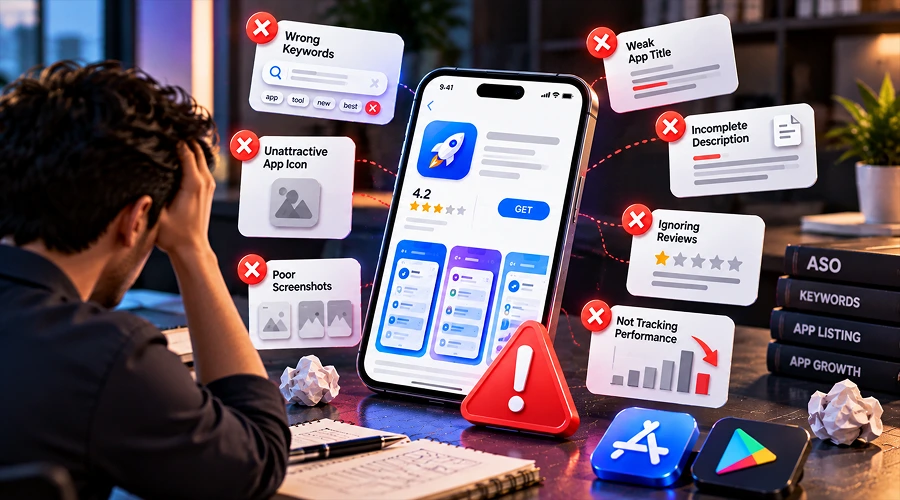
Here are some common ASO mistakes that you must avoid. Take a look…
Keyword Stuffing: Using too many or repeated keywords is big NO. Excessive use of keywords makes your listing difficult to read and also violates platform guidelines.
Using Misleading Screenshots: Showing features that the app does not offer is not wise. It can disappoint users and damage trust. Hence, show only what your app offers.
Ignoring User Reviews: Use reviews can make or break it for you. Hence, it is crucial to pay attention to users’ reviews and address complaints politely and instantly.
Copying Competitors: Your app should be unique. Your app listing should highlight what makes your app special instead of having information copied from competing applications.
Expecting Instant Results: App Store Optimization is no magic wand. It requires testing, monitoring and regular improvements.
Focusing Only on Downloads: People downloading your app is not just enough. You must pay attention to retention, engagement, user satisfaction and conversion as well.
Make sure to avoid these mistakes if you really want to build a more reliable App Store Optimization strategy.
The Bottom Line
So, this is all about App Store Optimization. The right ASO is very important for growing a mobile app. It helps improve visibility, attract relevant users, increase organic downloads and make your app listing more appealing. Also, it provides useful insights into user behaviour that businesses can use to make well-informed business decisions. For successful ASO, it is crucial to understand your audience, create a clear app listing, maintain good ratings and track performance regularly. Whether your app is new or already available, ASO can help you reach out the right audience and help turn them into regular users.