In this digital world, having a mobile presence is more essential than ever for businesses. Whether you have a startup, run an online store, manage a healthcare service or offer educational content, providing your audience quick and convenient access is important. And that’s when web apps, native apps and hybrid apps come into play. However, the question that most businesses face often is: which solution to choose? So, if you are also wondering whether you should choose a web app, a native app or a hybrid app, then read this post. Here, we have explained things in detail to help you make the best choice. So, let’s get started…
Web vs Native vs Hybrid Apps: A Quick Distinction
Here is a quick distinction between these three most popularly used app types to make the best choice. Take a look…
Let’s now understand these app types in detail so as to choose the best one. Here we go….
Web App – What Exactly it is?
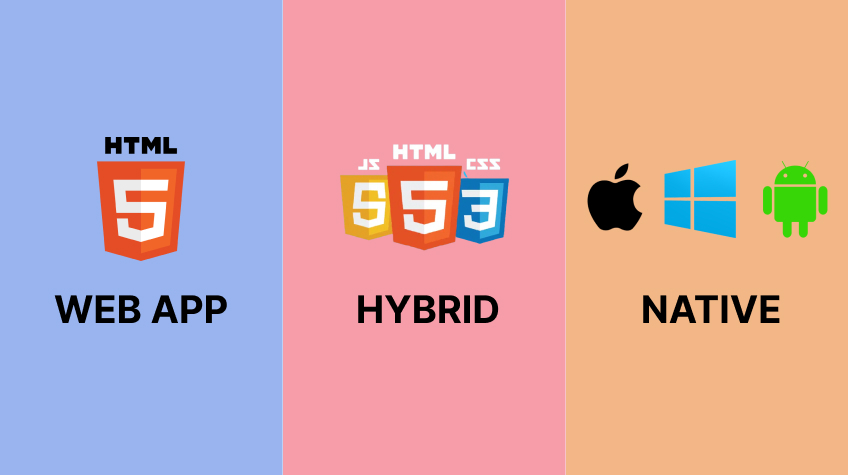
A web app is a website that act as an application online. Users can access it through a web browser such as Chrome, Safari, Firefox or Edge. There is no need to download it from the Google Play Store or Apple App Store. These are mainly used for online banking portals, project management platforms, blogs and customer dashboards. These apps can run on both desktops and smartphones as they are supposed to be responsive.
Examples include: Gmail (browser), Trello Web, Google Docs Web
Pros:
No installation required
Low development cost
Works on almost every device
Easy to update
Faster launch
Cons:
Limited access to device hardware
Internet connection is often required
Performance may not match native apps
Cannot fully use all phone features
Native Apps – What Exactly Are Native Apps?
A native app refers to an application that is built specifically for one operating system, such as Android or iOS. Android apps are developed using Kotlin or Java, whereas, iOS apps are created using Swift. These apps are available on official app stores from where users can download them and take full advantage.
Examples include: Instagram, WhatsApp, Spotify, Google Maps and so on.
Pros:
Outstanding performance
Smooth animations
Better security
Full access to camera, GPS, Bluetooth, microphone, sensors, and notifications
Excellent user experience
Cons:
Higher development cost
Separate development for Android and iOS
Time consuming development
More expensive maintenance
Hybrid App – What is it?
Any application that combines the elements of both web and native applications is known as hybrid app. In these kinds of apps, developers create a single codebase. They use HTML, CSS and JavaScript for creating single codebase. The code is then wrapped inside a native application to make it run on both Android and iOS. More and more businesses are now opting for hybrid apps for the benefits they offer.
Examples include: Discord, Walmart, BMW, many Flutter and React Native apps
Pros:
Single codebase
Faster development
Lower cost
Available on both Android and iOS
Easier maintenance
Cons:
May not match native performance for graphics-intensive or highly complex applications
Performance may not equal native apps
Some advanced device features require additional development
Final Thoughts
Choosing between a web app, native app, and hybrid app depends on your business goals, budget, target audience, and the features you need. While web apps are affordable and easy to maintain, native apps deliver the best performance and user experience. Hybrid apps offer a balanced solution with faster development, lower costs, and cross-platform compatibility.
Evaluate your requirements carefully before making a decision. Selecting the right app development approach will help you deliver a better user experience, optimize your investment, and support your business growth in the long run.