Every business in this era, including small businesses need reliable technology to manage daily operations, store data and serve customers. Maintaining traditional IT systems can be expensive, especially for a small business as it grows. That’s when cloud migration comes into play. It allows businesses to move applications, data and IT resources to cloud platforms like Amazon Web Services (AWS). At the same time, it helps small businesses reduce hardware costs, improve flexibility and manage changing workloads. But it is worth noting that a successful migration depends on careful planning and cost management. If you want to know how small businesses can migrate to AWS, then read this post. Here, we will explain all the benefits of AWS migration along with the factors you should consider to get started. So, let’s dive in…
Understanding Cloud Migration – What Is It?
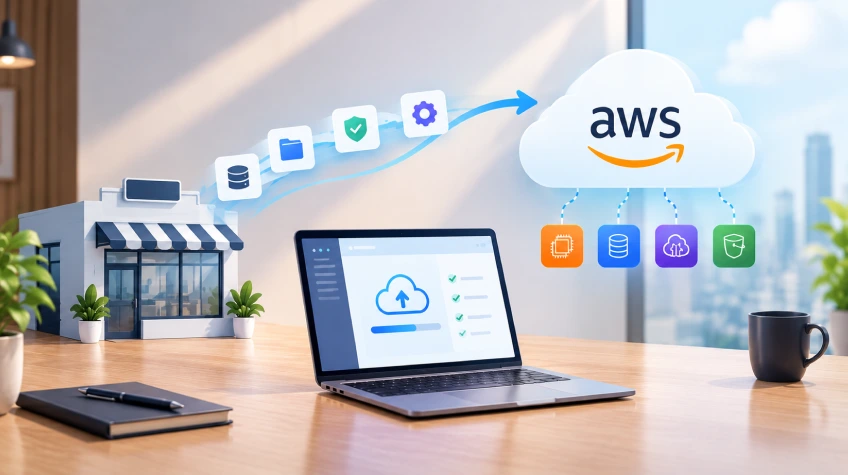
Cloud migration is the process of moving business data, applications, databases and IT systems from existing infrastructure to a cloud platform. For instance, a small company that stores customer records, documents and applications on an office server can move it all to AWS as the business grows. Instead of buying new equipment, moving these resources to the cloud is budget-friendly option. Businesses can access cloud services over the internet and pay for what they use. Also, they can increase or reduce resources as needed. The best thing is that they do not need to move everything at once. They can choose to shift their data and applications gradually in steps.
Why Should Small Businesses Opt For AWS Migration?
Amazon Web Services, commonly known as AWS, is a renowned cloud computing platform. It offers services for computing, storage, databases, networking, security and more. AWS allows small businesses to manage their IT needs without investing in and maintaining expensive physical equipment. Here are some of the best reasons small businesses must consider AWS migration. Take a look…
1. Reduced Hardware and Maintenance Costs
Maintaining an in-house IT system requires servers, storage devices, electricity and regular maintenance. Besides that, businesses also need technical staff to manage these systems. That’s not the case with AWS. AWS eliminates the need to buy and maintain hardware as it offers cloud services that businesses pay for based on their usage. However, it is crucial to choose the right services, track usage and avoid unnecessary costs to save money.
2. Scalable Resources as the Business Grows
A small business may have basic IT needs today but it may require more resources as it grows. That’s when AWS comes in handy. It gives businesses immense flexibility to increase or reduce resources. It allows businesses to increase storage and computing power without even spending on new servers. Moreover, businesses can even reduce these resources when demand falls. This flexibility is very beneficial for online stores during festive sales, seasonal businesses and startups expecting rapid growth.
3. Improved Data Protection
Data plays a crucial role irrespective of the size of the business. Business data may include customer details, financial records, employee information and important documents. No business can afford losing this data as it can affect daily work and customer trust. AWS provides tools to back up data, control access, protect information and recover systems after failures. However, businesses are advised to set up these services correctly, protect user accounts, install security updates and keep proper backups to avoid sudden data failures.
4. Support Remote Working
More often than not, small businesses depend on employees, freelancers and teams working from different locations. AWS supports remote working and can help authorised users access business resources from different places. This not only makes collaboration easier, but also reduces dependence on a single office server. However, businesses are advised to carefully manage access permissions to ensure that employees can only view or change the information they need.
Key AWS Services for Small Businesses
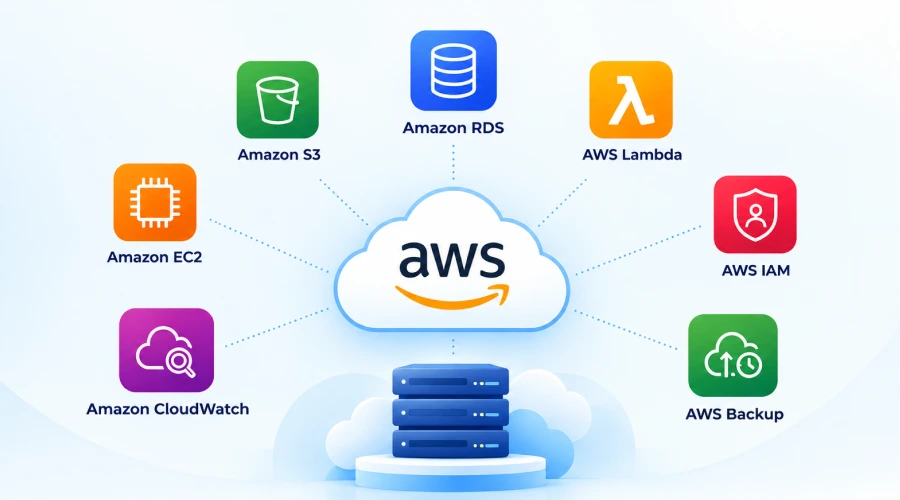
AWS offers many services; however, not every business needs them all. The right selection depends on the company’s applications, data, budget and technical requirements. Some commonly used AWS services are as follows:
Amazon EC2: Runs applications and websites on virtual servers.
Amazon S3: Stores files, documents, images, backups and other data.
Amazon RDS: Helps manage relational databases without handling every database administration task manually.
AWS Lambda: Runs code in response to events without requiring businesses to manage servers directly.
Amazon CloudWatch: Monitors resources, application performance and selected operational events.
AWS IAM: Controls who can access AWS resources and what actions they can perform.
AWS Backup: Helps manage backups for supported AWS services and resources.
Choosing the right service is crucial. It helps businesses avoid extra costs and complexity. For example, a small online store can opt for Amazon EC2 to run its website, Amazon RDS to manage customer and order details and Amazon S3 to store product images. Whereas, a business with basic needs may only require cloud storage and a simple application setup.
Step-by-Step AWS Migration Guide for Small Businesses
Here are the steps small businesses can follow for a successful AWS migration. Take a look…
➩ Step 1: Review Your Existing IT Systems
Before you make a move, it is crucial to understand what your business currently uses. You are advised to make a list of your applications, databases, files, servers, software licences and other IT resources. Now, identify which systems are essential for daily operations and which are rarely used.
Also, check how these applications depend on each other. For example, your website may rely on a database, payment service and customer management system. Doing so will help you know what needs to be moved, what can be removed and which systems require additional preparation.
➩ Step 2: Set Clear Migration Goals
Decide why your business to be migrated to AWS. You should know why do you want your business on AWS. Whatever your objective is be it reducing hardware maintenance, improving website performance, protecting business data, supporting remote employees or preparing for expansion. Setting practical goals is crucial. This is because clear goals help you choose suitable AWS services and measure whether the migration has delivered the expected results.
➩ Step 3: Estimate the Cost
Cost planning is yet another important step when migrating to AWS, especially for small businesses with limited budgets. AWS costs depend on the services used, storage needs, computing power and data transfer. You can consider using the AWS Pricing Calculator to estimate costs before moving to the cloud. Also, consider software licences, migration support, security tools and ongoing maintenance. After migration, you can set spending alerts and check usage regularly. It will help you track usage. Remember that unused resources, oversized servers and extra storage can increase monthly bills.
➩ Step 4: Choose the Right Migration Approach
Not every application needs to be rebuilt before moving to the cloud. The best approach depends on its age, complexity, performance, and importance to the business. Some of the most common migration approaches include:
Rehosting: Moving an application to AWS with few or no changes. This is particularly suitable for a business that wants to move away from physical servers quickly.
Replatforming: Making small changes to help an application work better in the cloud, such as switching to a managed database service.
Refactoring: Changing an application’s design or code to make the best use of cloud services. This may offer long-term benefits but it’s worth noting that it requires more time and investment.
Retaining: Keeping some systems in their current setup when moving them to the cloud is not practical or necessary.
Retiring: Removing applications that are outdated or no longer useful.
A small business can choose different migration methods for different applications. For example, it can move an internal application to the cloud as it is while shifting its database to a managed service.
➩ Step 5: Prepare Your Data and Applications
Before you migrate your business to AWS, clean up unnecessary files, review access permissions and confirm that important data has been backed up. Check whether your applications will work with the selected AWS services. You may need to update or change older applications before moving to the cloud. Also, check security settings, database connections, domain settings and third-party services. If your business handles customer, payment or employee data, make sure you follow the relevant data protection and industry rules before moving it.
➩ Step 6: Start With a Small Test Migration
Moving everything at once can be risky for a business. Hence, you are advised to start with a less important application or a small amount of data. For example, you can choose to move your document storage or test an application on AWS first. Check that everything is working properly, users can access the data, performance is good and security settings are working. Gradually you can move your data to the AWS. This way you can also find technical problems and unexpected costs before they affect daily operations.
➩ Step 7: Move Your Applications and Data
Once the test is successful, begin the main migration according to your plan. The process often includes transferring files, moving databases, configuring cloud servers, setting up access permissions and updating application connections. Make sure to plan the migration carefully for larger databases or applications that cannot stay offline for long. Also, you should schedule the move or keep the old and new systems updated during the transfer. Make sure to inform employees and customers about any expected downtime and keep the old systems running until the new setup has been tested and approved.
➩ Step 8: Test Everything After Migration
Your job doesn’t end with AWS migration. You need to test key functions such as logins, payments, forms, database connections, file access and reports. Also, check its speed, security, backups and recovery process. Make sure users can perform their daily tasks without problems. Once everything works properly, you can gradually move users and business activities to AWS.
➩ Step 9: Monitor and Optimize Your Cloud Environment
Cloud migration does not end once the move is complete. You need to check performance, security and costs after AWS migration. Review resource usage regularly and remove anything no longer needed. Adjust server sizes when required and use automation where possible. Amazon CloudWatch helps monitor AWS resources, while AWS Cost Explorer helps track spending. Regular checks can prevent unexpected bills and ensure the cloud continues to meet business needs.
Common AWS Migration Challenges
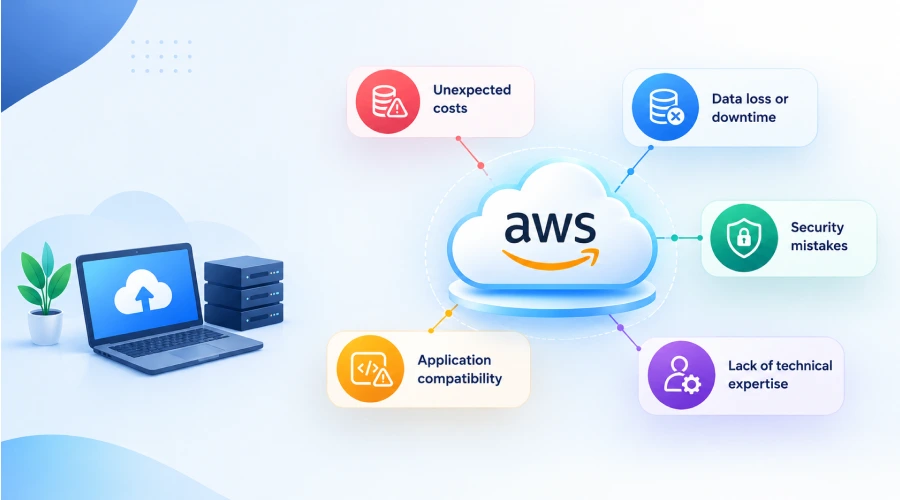
Undoubtedly, AWS offers several advantages, but there are some common challenges that small businesses should be aware of; such as:
Unexpected costs: If not planned carefully, unused resources can significantly increase monthly bills. Therefore, you are advised to estimate costs in advance and monitor actual spending.
Data loss or downtime: Errors during migration can interrupt business operations. You are advised to maintain verified backups and prepare a recovery plan.
Security mistakes: Incorrect permissions or exposed services can put business information at risk. Hence, you are advised to use strong authentication, limit access and review configurations on a regular basis.
Lack of technical expertise: Small businesses may not have the required skills to manage cloud infrastructure. Therefore, it is crucial to get support from an experienced AWS migration partner.
Application compatibility: Older software may not work properly in a new environment. You are advised to test applications before completing the migration and plan for any required changes.
Identifying and addressing these challenges early can help make the migration process smoother and minimize disruptions to business operations.
The Bottom Line
So, this is all about cloud migration for small businesses. AWS migration can help small businesses build a more flexible and manageable IT environment without relying entirely on physical servers. AWS provides services for storage, computing, databases, security and monitoring, allowing businesses to choose resources that match their needs. However, it is crucial to collaborate with an experienced migration partner. WeeTech Solutions Pvt. Ltd. is an experienced company providing seamless cloud migration services to companies, including small businesses. We will review your existing systems, recommend suitable AWS services, create a migration plan and support you with testing and security to ensure a smooth transition to the cloud. Contact WeeTech for more details!