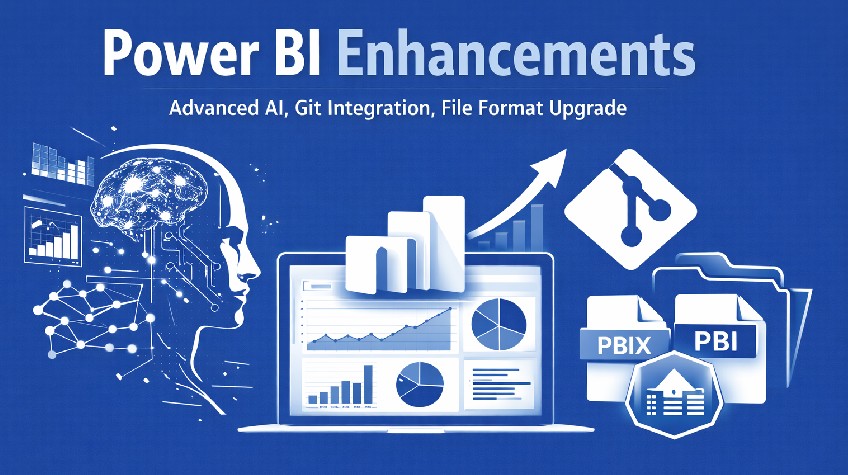
2026 will see Microsoft rebuild Power BI’s foundation with a new report format, native Git workflows, along with deeply embedded AI. This marks a change in how teams build and consume analytics into their workflow. A core update that shifts Power BI to become an enterprise analytics engineering platform.
Microsoft is rewriting how reports store metadata, how teams collaborate on analytics, and how AI participates in making decisions. The new update makes use of Power BI now works less like a desktop BI tool and more like a governed analytics product lifecycle.
And enterprises are beginning to see the shift immediately as report development aligns withDevOps and AI stops acting like a chatbotand more like an analytical assistant. For larger organisations running Power BI at scale, 2026 marks a clear before-and-after moment.
Perhaps the most consequential shift we get to see inside the Power BI 2026 Update is the PBIR file format. January 2026 onwards, PBIR now becomes the default for new and edited reports, sweeping aside the previous PBIX format.
PBIR breaks reports into modular, text based components stored inside folders. This allows Git to understand what changed, who changed it, and why. Plus, developers can now bench reports, review pull requests and roll back safely.
This massive shift also eliminates the “last save wins” problems. This was a problem that used to haunt shared PBIX files. Thanks to PBIR now being the default, multiple devs can now work on the same report without collisions. CI/CD pipelines validate reports before deployment and analytics stop living outside the software lifecycle.
Git integration in the Power BI 2026 update does more than track files. It enforces accountability by making sure every measure edit, visual tweak, or semantic model change leaves an audit trail. Thanks to this, executives benefit indirectly. Dashboards remain consistent across the environment and regulatory teams gain traceability. Analytics leaders gain confidence that production reports are based on approved logic and not worry about last-minute edits.
Git integration also encourages experimentation without risk. New calculations can be easily prototyped in feature branches so teams should be able to test them against production data and merge only when validated.
Earlier AI features in Power BI helped users only explore visuals. The Power BI 2026 update changes that and pushes Copilot deeper into analytics. Copilot can now write DAX directly inside the DAX query view. Analysts will now only need to describe what they want to do in plain language and Copilot will generate the formula for them following best practices. It explains logic when asked so your debugging cycles shrink drastically.
This matters quite a lot because DAX complexity is often what limit Power BI adoption. Thanks to Copilot this barrier is now removed without dumbing down the platform. Senior modelers move faster and junior analysts learn by example.
Copilot also integrates quite well with semantic models through the Model Context Protocol. AI agents can read schemas, generate queries, and modify models programmatically.
The standaloneCopilotexperience on mobile redefines “anywhere analytics” in the Power BI 2026 update. Executives can ask real questions and not just stare at static dashboards during meetings. Copilots respond with visuals, KPIs, and even context-aware answers. The new update also sees the introduction of iOS voice input.
Power BI becomes part of the operational tempo. Questions that once waited for follow-up emails now get answered mid-conversation. A massive shift that has compressed decision cycles by a lot.
Dataflow Gen 2 and Lakehouse Enable Real Data Products
The Power BI 2026 Update treats data preparation as a first class discipline. Dataflows Gen2 combined with Lakehouse storage helps teams to publish standardised, reusable datasets. Raw data enters once. Transformations live centrally and all your metrics stay consistent. Reports consume the same trusted source across documents.
This architecture supports scale. The new dashboards no longer just duplicate ingestion logic. Instead, analysts focus on and leadership sees one version.
ARM-native Power BI Desktop Fixes a Silent Bottleneck
Running Power BI Desktop natively on ARM devices seems like a minor upgrade, but it used to be a huge hassle for enterprises. The Power BI 2026 update removes emulation overhead as the desktop app now runs natively on ARM processors. The latest update now improves battery consumption on most models and thermal throttling has been taken care of almost entirely.
For those working long hours, ARM support matters. Faster feedback loops reduce friction and Power BI now feels super responsive on ARM devices. Productivity gains hide inside performance metrics, not feature lists.
Visuals Mature into Storytelling Instruments
Visual upgrades in the Power BI 2026 update focus entirely on clarity. Card visuals now support collage layouts, hero images, and come with consistent formatting controls. KPI storytelling has vastly improved without custom visuals. Image visuals add states and interactivity to make your dashboards feel more intentional.
Matrix visuals expand intelligently to eliminate any awkward whitespace. Decomposition trees gain richer breakdowns and you see an overall decrease in visual noise. Although information density increases.
These changes are massive for the leadership audience as the new dashboards can now communicate faster and the interpretations require less explanation. Data earns trust through presentation discipline.
Governance Tightens Through Strategic Deprecations
2026’s update removes metric sets and begins phasing out R and Python visuals in embedded scenarios. This is a governance-first mindset that Microsoft is adopting. Teams are using shared datasets, scorecards, and certified models using central KPI logic. This causes any type of duplication to fade.
Embedded analytics becomes much safer and more controlled. Organisations that rely on visuals must plan migrations. The tradeoff favours long term stability over short term flexibility.
Azure Maps Replaces Bing Maps for Enterprise Scale
Geospatial reporting enters a more mature phase this year with the latest update. Azure Maps now replaces Bing Maps entirely as all the existing visuals migrate. New visuals standardise on a platform more geared towards enterprise workloads.
Thanks to this, mapping now gains scalability, security alignment, and long term support so teams need to act early to avoid disruption as those who delay risk broken visuals and rushed solutions. So start your migrations right away.
Why you Should not Delay this Update
The latest update is not optional for organisations running analytics seriously. PBIX format will lose relevance and Git-free workflows will fall behind. Teams that postpone this adoption will definitely accumulate a lot of technical debt quietly. And over time, this gap is only going to widen further. Early adopters move faster, govern better and trust insights more deeply. Late adopters spend budgets maintaining outdated pipelines instead of innovating.
Conclusion
The latest Power BI 2026 update is here to redesign how analytics fit inside modern enterprises. Power BI now speaks the language of engineers, execs, and AI systems to offer reports that are assets. You get insights much faster. So, for organisations willing to evolve their analytics, 2026 offers more than an upgrade. Think of it more like an alignment.