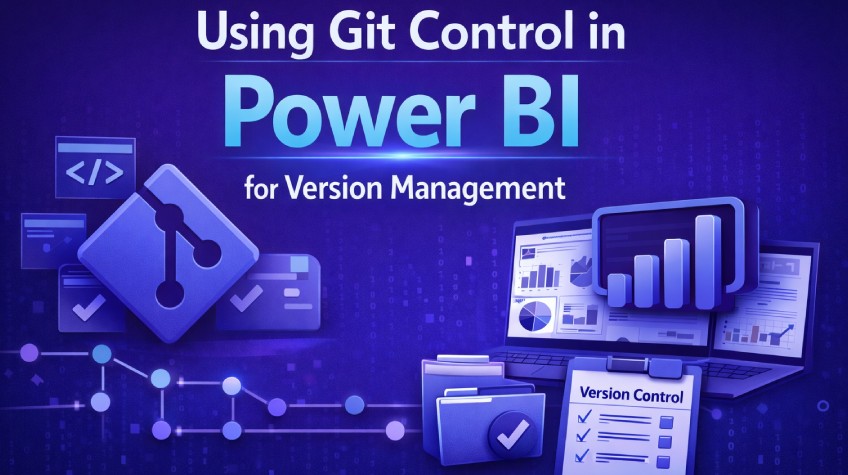
Power BI 2026 introduces Git integration and TMDL to turn your reports into modular, text based projects. Developers now have the option of tracking every change for better collaboration. Branching, merging, and CI/CD workflows ensure stable dashboards and enable quick and safe experimentation.
Power BI is now evolving to become a platform capable of handling complex, enterprise-grade analytics. Still, managing changes to reports remained a persistent challenge. Legacy .pbix files store the entire report in a binary format. When you needed to do a single modification like editing a measure or adding a calculated column, you had to rewrite the entire .pbix file. And this made merging changes nearly impossible. Collaboration meant one developer waiting for another to finish which created bottlenecks and risked data inconsistencies.
Power BI 2026 bringsGit integration, the newest .pbip project format, and the Tabular Model Definition Language (TMDL). These updates aim to solve this collaboration problem by transforming reports into structured, versionable, and traceable objects. Teams can now manage their BI developments just like any other software engineering project.
The Importance of Version Management
Analysts often need to tweak DAX measures, adjust visual layouts, or add new data sources. Without a reliable version control system, these changes will carry risks. And these can cascade silently, breaking reports. Reverting to a previous state will require manual backups.
Version control takes care of this by
Recording every change in the report and dataset
Providing a complete history of modifications
Allowing rollbacks to earlier states when errors occur
Enabling parallel development through branching
Git became the backbone for all of this. With proper version control, teams can confidently experiment and deploy changes without any fear, turning your Power BI files into collaborative assets.
From .pbix to .pbip
The core limitation of traditional .pbix files was their binary nature. Power BI 2026 introduces the .pbip (Power BI Project) format. Unlike .pbix, a .pbip file stores the report as a collection of text based files in JSON format. It splits the project into two main folders:
.Report: Contains page layout, visuals, and all report metadata
.SemanticModel: Contains dataset definitions, tables, measures, relationships, and roles
Microsoft also integrates TMDL that converts the semantic model into individual, human readable text files. Everything becomes an editable file. This modular structure allows Git to track changes at the object level. A change to a single DAX measure updates only those specific files to make merging quite easy.
Power BI projects move monolithic binaries to structured text. Teams can analyse diffs, review pull requests, and resolve conflicts more efficiently.
Setting up Git for Power BI
There are a few prerequisites if you want to enable Git on Power BI:
Create or clone a Git repository on a platform like GitHub orAzure DevOps
Use an IDE such as Visual Studio Code to manage source control
Once these are done. Move on to the following steps
Step 1: Initialise the project
You start by creating a new repository or cloning an existing one. If you are starting with a fresh repo, configure a .gitignore file to exclude caches and local settings.
Now save your Power BI report as a .pbip file in the Git repo. Power BI generates the .Report and .SemanticModel folders automatically for you. This structure ensures that only meaningful changes appear on Git.
Step 2: Commit changes
With the project initialised, stage all files and commit your initial version. Commit messages must describe changes clearly. Every subsequent edit should follow the same pattern:
Save in Power BI
Stage changes in Git
Commit with a descriptive message
Step 3: Branching for features
Feature branches isolate work without affecting the main report. For instance, create a branch called “feature/add-new-measures” to add calculated columns or modify relationships. This will keep the main bench stable and ensure other devs can continue working on separate branches without interference.
After completing changes, commit and push the branch to the remote repository. Team members can review, test, and merge the changes back into the main branch. This entire process is there to prevent overwrites and maintain a single source of truth.
Step 4: Merging and collaboration
Git allows devs to merge branches efficiently. Thanks to TMDL’s modular approach, teams can ensure conflicts are always visible at the object level. If two developers edit different measures, Git merges both changes automatically. If the same object is modified by multiple users, Git highlights the conflict for resolution.
This system is to enable a workflow where teams can iterate quickly and maintain stability. Each merge creates a clear trail audit. And this makes it super easy to trace the evolution of reports and datasets over time.
Integrating CI/CD and Automation
After you have your Git flow established, Power BI projects integrate readily with all your automated pipelines. Continuous Integration (CI) ensures that new branches or pull requests pass validation checks before merging. Continuous Deployment (CD) can automatically deploy these updated datasets to the Power BI Service or regenerate .pbip packages.
Automation helps to reduce errors prone to humans. Plus, it also enforces consistency across development, testing, and production environments so teams can deliver changes confidently.
Practical Daily Workflow
A very typical development cycle with Git in Power BI 2026 looks something like this:
Create a feature branch from the main branch
Make changes in Power BI Desktop and save as .pbip
This cycle needs to repeat every time there is a new modification, feature, or fix which gives developers a clear view of who changed what, when and why.
Benefits of Git Control in Power BI
Git integration with .pbip and TMDL introduces multiple advantages for your teams:
Version traceability: Every measure, table, and relationship change is recorded.
Safe experimentation: Devs can test ideas in isolated branches without risking the main report.
Seamless collaboration: Teams work in parallel without overwriting each other’s work.
Merge transparency: Conflicts appear at the object level to simplify resolution.
Audit and merge: Commit histories and pull requests offer documentation for every change.
Automation ready: Projects can integrate into CI/CD pipelines for easy deployment.
Teams are adopting Git to applysoftware engineering discipline to analytics and create reliable reports. And the latest update in Power BI makes it all possible.
Start Small and Scale Gradually
Organisations do not need to implement full CI/CD pipelines immediately and instead can simply start by storing .pbip projects in Git and reviewing them like standard code.
As soon as the team starts getting comfortable with version control, branches, and pull requests, slowly expand into automation. Introduce CI/CD pipelines, scheduled deployments, or even automated packaging. It is best to gradually evolve the workflow so that adoption does not overwhelm your team.
Conclusion
Power BI 2026 is transforming report development from isolated binary files and making them into modular projects under full version control and this is a big shift. Git and TMDL redefine collaboration, traceability, and reliability. This newer approach has enabled devs to experiment freely and merge features without fear. Teams get full transparency, governance, and reproducibility. This marks a fundamental shift for Power BI. No longer is it just a reporting tool. It now works like software plus all the advantages of code-driven workflows.
Version management in Power Bi has now become robust and scalable. Devs gain full control and organisations get consistent, reliable analytics that evolve safely and systematically.