In this era cyber threats have become prominent. Irony is no matter how many security measures companies use, cyber criminals come up with new and unique kind of cyber attacks that companies find difficult to handle at times. And that’s when network security tools come in handy. No matter the kind, including ransomware, phishing, zero-day exploits or insider threats, these tools help handle these risks efficiently. Network security tools help organizations detect vulnerabilities, prevent unauthorized access and respond to attacks in real time. If you are looking for the list of the best network security tools, then this post is for you. Here, we have outlined the top 10 network security tools designed to help organizations stay resilient against today’s most pressing cyber threats. So, without any further ado, let’s get started…
Before we move to the list of the tools, let’s first understand what network security is and why it matters.
Network security, as the name says, is the process that involves steps to keep a computer network safe from unauthorized access, online attacks and data breaches. More often than not, these measures include tools, technologies and best practices to protect information from cyber crooks and ensure smooth operations. Most organizations in this era rely on tools like firewalls, antivirus software and monitoring systems to keep their network secure from cyber criminals. They watch network activity and spot threats early on with the help ofnetwork security best practices. As cyberattacks are becoming complex and frequent, it is crucial for organizations to deploy the right mix of tools to ensure complete protection of their networks.
There are now advanced solutions available that allow cyber security managers to identify weak points early on. Some of the advanced tools include, intrusion detection systems (IDS), vulnerability scanners and security audits. Aside from that, network security tools also manage access permissions and real-time security software keep monitoring and blocking threats as they occur.
Top 10 Network Security Tools for Today’s Cyber Threats
Here is our list of the 10 best network security tools for you to make the right choice. The list includes all kind of tools, enterprise-grade firewalls, threat detection platforms and others along with their key features, negatives, positives and pricing to help you choose the right mix of tools. Take a look…
1. Wireshark
At number 1, we have Wireshark. Wireshark is a free and open-source network protocol analyzer. It is a widely used tool as many organizations in the world are already using this tool to protect their networks. It helps organizations with deep packet inspection and real-time network traffic analysis. It’s one of the most essential tools so far that helps security experts monitor traffic and identify network issues.
Key Features:
Real-time packet capture and analysis
Support for 2,000+ network protocols
Detailed filtering and decoding options
Compatible with multiple OS, including Windows, Linux, macOS
Pros:
Free and open-source
Industry-standard for packet analysis
Strong community support
Cons:
Steep learning curve for beginners
No automated threat blocking
Lacks real-time automated defence
Pricing: Available for FREE
2. Tenable (Nessus Professional)
Here is another network security tool that is often opted to detect security vulnerabilities, misconfigurations, and compliance gaps across systems and networks. Many organizations use Tenable (Nessus Professional) to keep their networks safe. It is a widely used commercial vulnerability scanner. It helps detect vulnerabilities, evaluate potential threats and maintain a strong and effective security framework across systems and networks.
Key Features:
Extensive vulnerability scanning
Offer regular plugin updates
GDPR, PCI DSS compliance checks
Offers customizable reporting
Pros:
Most accurate and very thorough vulnerability detection
A MUST for compliance audits
Incorporates a detailed dashboard
Cons:
A bit pricier
Not ideal for beginners
Lacks real-time intrusion system
Pricing: $5180.20 for multilayer licenses. Also, it offers a 30-day trial version with limited features.
3. FortiGate Firewalls
FortiGate Firewalls deliver robust next-generation firewall (NGFW) protection. Additionally, it combines security services like intrusion prevention, VPN and application control in a scalable platform, which makes it a much desirable network security tool in modern times. An ideal tool for all sizes of business, including data center, enterprise campus, small and branch offices.
Key Features:
Incorporates AI-powered threat intelligence
Includes SSL inspection and deep packet filtering
Offers SD-WAN support
Has centralized management
Pros:
Ensures robust performance across business sizes
Offers extensive security stack
Easy to integrate with other Fortinet products
Cons:
Licensing is a bit complex
Not ideal for beginners
Require skilled professionals
Pricing: Contact the seller for pricing.
4. Cisco Secure Firewall
Here is another renowned firewall that delivers advanced threat defense, application visibility and network segmentation controls. Cisco Secure Firewall (previously Cisco Firepower) is an enterprise-grade firewall designed to protect networks. It monitors traffic, prevents unauthorized access and provides defence against advanced cyber threats.
Key Features:
Comes with AI-powered threat intelligence (Cisco Talos)
Offers web filtering and VPN support
Includes secure SD-WAN features
Has centralized policy management
Pros:
Highly customizable tool
Integrates easily with Cisco ecosystem
Trusted by large enterprises
Cons:
Pretty expensive tool for small organizations
Requires skilled professionals for set up and customization
Standard licensing does not include full features set
Pricing: Contact seller for customized pricing.
5. Metasploit
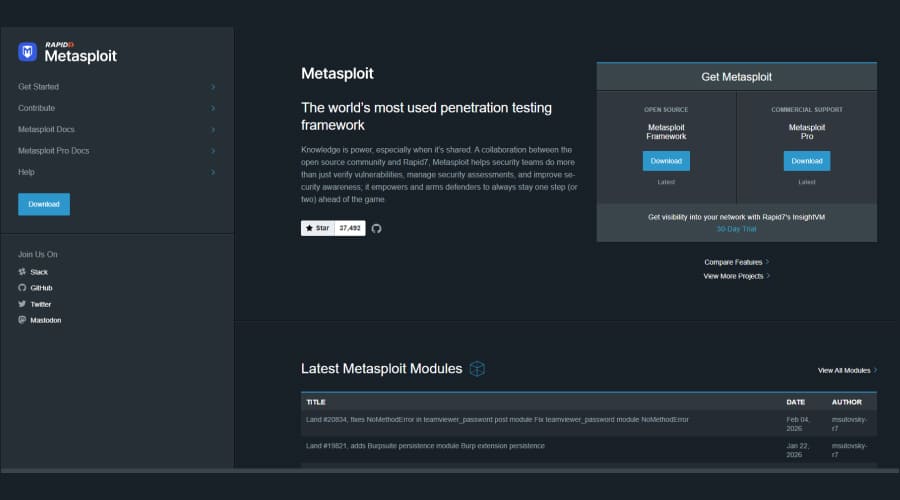
At number 5, we have Metasploit. Metasploit is a free and open-source modular penetration testing platform. Most security professionals use this tool to find, test, and confirm security weaknesses in networks, systems, and applications. It helps automate testing, create payloads and perform advanced post-exploitation tasks for a complete security assessment.
Key Features:
Offers extensive module library
Powerful and hard-to-detect payload
Includes payload generation and customization
Easy database integration
Pros:
Highly flexible and modular framework
Smart payload generation and encoding
Meterpreter payload for advanced reconnaissance and control
Cons:
Requires technical expertise to set up and use
Sometimes generate false positives
Some modules are outdated
Pricing: Available for FREE
6. Snort
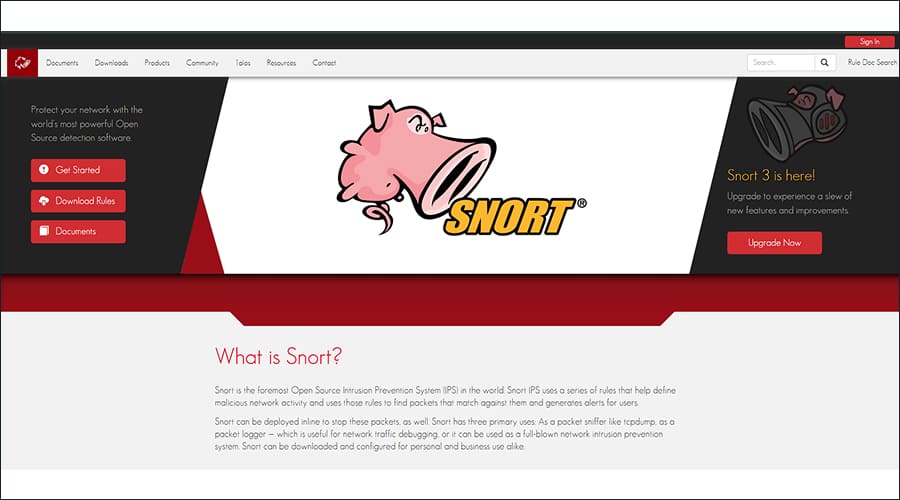
Here is another very versatile and open-source network security tool for organization. Snort is a widely used Network Intrusion Detection System (NIDS) and Prevention System (IPS). This open-source NIDS uses rule-based language to detect suspicious network activity by analysing data packets and alerting users when threats are found. It is mainly designed for Linux and Windows to detect online threats. It can be used in three ways, namely, as a packet sniffer like tcpdump, as a packet logger and as a full-blown network intrusion prevention system.
Key Features:
Provides real-time traffic analysis
Multi-mode operations
Examines application-level traffic (HTTP, FTP, DNS, etc.) to spot anomalies
Offers comprehensive logging and alerting
Pros:
Free and open-source
Extensive customization options
Active community support
Cons:
High rate of false positives
Higher administrative overheads
Require technical expertise
Pricing: Available for FREE.
7. Tor (The Onion Router)
Here is another free and open-source network security tool for organization to consider in 2026. Tor helps users stay anonymous online by encrypting and routing internet traffic through different servers, making it harder to trace activity.
Key Features:
Multi-Layered onion routing
Masks your IP address
Enables access to .onion sites
Helps bypass internet censorship through bridge relays.
Pros:
Provides advanced security features
Free and open-source tool
Provides strong anonymity and privacy
Cons:
Extremely slow browsing speeds
Vulnerable entry and exit nodes
Not suitable for streaming or downloading large files
Pricing: Available for FREE with no licensing fees.
8. SentinelOne Singularity
SentinelOne Singularity is an AI-powered Extended Detection and Response (XDR) platform for automated threat defence. It offers enterprise-grade protection, detection and response capabilities. It helps organizations proactively prevent malware and minimizescyberattacks. It uses behavioral AI to detect ransomware and zero days, and augment threat hunting and investigation with an AI security analyst.
Unified platform for managing endpoints, cloud workloads and identities
Automated and detailed reporting
Pros:
Easy to deploy and use
Robust threat detection
Provides cross platform support
Cons:
Pricier
High rate of false positives
Reporting limitations
Pricing: Contact seller for pricing.
9. Forcepoint
Forcepoint is a widely used network security solution. This Next-Generation Firewall (NGFW) with Secure SD-WAN provides defence against advanced cyber threats. It combines next-generation firewall capabilities, Secure SD-WAN and data protection tools to deliver strong, scalable security with easier management.
Key Features:
Single console for managing policies for cloud apps, web, email and endpoints
Provides advanced threat detection and prevention
Uses user behavior analytics to automatically adjust security policies
Combines firewall security with high-performance
Pros:
Uses machine learning to adjust security policies
Includes advanced features for identifying data in images and screenshots
Supports both hybrid and multi-cloud infrastructure
Cons:
A bit pricier. Cost increases with additional features or subscription
Complex deployment
Inconsistent support
Pricing: Subscription-based pricing starts at around $150 per user per year for core cloud security, with additional features like CASB, data protection, or management tools costing extra depending on needs.
10. Rapid7 Nexpose
Last but not least in the list is Rapid7 Nexpose. Rapid7 Nexpose is a well-known vulnerability management tool. It helps organizations identify, evaluate and fix security weaknesses effortlessly in their IT systems. It offers continuous scanning and detailed reporting facilities, further making it easier for organizations to understand and manage security risks in a timely manner.
Key Features:
Uses adaptive security features
Integrates easily with cloud platforms like VMware and AWS
Detailed reporting with actionable steps
It integrates with Metasploit Pro, Rapid7’s penetration testing tool
Pros:
Compliance auditing
Provides vulnerability updates in real time
Allows organizations to monitor dynamic environments
Cons:
Comparatively high pricing
Requires technical expertise for setup and use
Buggy security console
Pricing: Contact seller for detailed pricing.
Different Types of Network Security
Network security includes several layers of protection, each designed to address different types of threats. For instance:
Network Access Control: To limit who can enter the network and what they are allowed to do.
Firewalls: Act as the first line of defence as they filter incoming and outgoing traffic.
Intrusion Detection and Prevention Systems (IDS/IPS): These systems help monitor network activity and alert or block suspicious behavior early on.
Endpoint Security: Protects devices (computers and servers) connected to the network from cyber threats.
Data Security and Encryption: They are there to keep sensitive information protected even if it is intercepted.
All these network security types work together to prevent cyberattacks by creating a strong, multi-layered defence.
Why Network Security Matters and How Network Security Tools Help Secure Networks?
Network security matters because organizations in modern times rely heavily on digital networks to store data, communicate and run their daily business operations. Even a small security breach can lead to significant loss to the company. It can directly result in data loss, financial damage and legal issues. Not just that, even a single data breach can result in the loss of customer trust, which is worse as businesses run majorly on consumer trust.
As cyber threats continue to grow in complexity and frequency, protecting network systems have become more crucial than ever. Protecting the network not only safeguards sensitive business information, but also ensures business continuity.
And for that, Network security tools come in handy. These tools help organizations secure their networks more efficiently. These tools allow organizations to constantly monitor traffic, identify vulnerabilities and block malicious activities before they actually cause any kind of harm to the business. Tools like firewalls, intrusion detection systems, antivirus software, and network monitoring solutions work together to prevent organizations from cyberattacks or unauthorized access.
These tools help businesses detect threats in real time and respond quickly to attacks. However, it is crucial to choose the right network security tools. Using the right network security tools ensure reduced risks and allow businesses to maintain a safe and reliable network environment.
The Bottom Line
So, these are the top 10 network security tools that organizations should consider using to handle today’s cyber threats. Most of the tools outlined above are free and open-source, which means you can use them without any licensing fee. However, it is crucial that you choose the ones that fit your organization’s requirements and final business goals. Consider your organization’s size, threat profile, and budget prior to choosing the tool. Hope this article has been informative for you. Choose wisely…