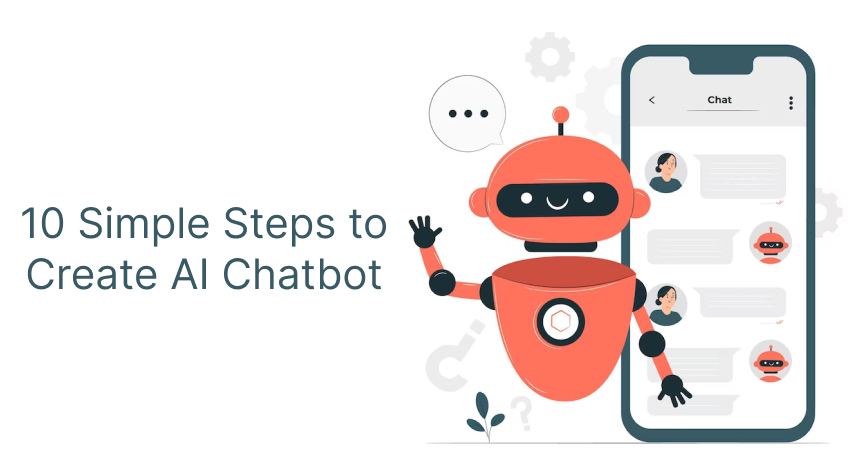
AI chatbots have become a useful business tool in this era. More and more businesses are now using chatbots to answer customer questions, generate leads, support employees, schedule appointments and even help with sales. The best thing about AI chatbots is that you don’t need a huge technical team to build one. There are numerous AI tools and chatbot platforms that make creating a chatbot a breeze. If you are planning to create an AI chatbot for your business in 2026, then read this post for the 10 simple steps to create one. Let’s dive in…
10 Simple Steps to Create an AI Chatbot for Business of All Sizes
If you are planning to create an AI chatbot that does more than answer questions, then here are the 10 simple steps to get started. Take a look…
1. Decide What You Want the Chatbot to Do
The first and foremost steps is to decide what problem you want your chatbot to solve. This is because a chatbot without a clear purpose can become confusing and ineffective.
For instance, if you have an online store, you might want a chatbot to:
- Answer questions about products
- Help customers track orders
- Explain return and refund policies
- Recommend products
- Collect customer information
An educational institute, on the other hand, would require a chatbot to answer questions about admissions, courses, fees, application deadlines and so on. Likewise different companies need AI chatbots for different purposes. Having a clear goal is the first step to creating a practical AI chatbot for your business.
2. Understand Your Customers’ Most Common Questions
Once you know what the chatbot should do, find out what customers need help with. Check emails, website queries, support chats, social media messages and phone calls. Make a list of the questions customers ask most often.
Often customers need help with their:
- Orders
- Refunds
- Deliveries
- Costs and so on.
You may find that your customers are constantly asking:
- “Where is my order?”
- “What is your refund policy?”
- “Do you deliver to my city?”
- “How much does this service cost?”
- “How can I book an appointment?”
Your main goal should be to build an AI chatbot around real customer needs. You can use these questions to get started. You can group these questions into categories such as sales, support, payments, products and general information. This will make the chatbot easier to organize.
3. Choose the Right Type of AI Chatbot
Now, it’s time to choose the right type of AI chatbot fitting to your business. A basic chatbot with predefined questions and answers can work well for simple customer queries and routine tasks. An AI-powered chatbot, on the other hand, are designed to handle more complex conversations as they can understand different questions and provide more natural answers.
For example, a customer could ask “Can I return this product?” or “I bought the wrong size, now I want to send it back. How can I do that?” The chatbot can understand that both questions are about returns.
When choosing a chatbot, consider your budget, business size and customer needs. For small and medium-sized businesses, it is often better to start with a simple AI chatbot and add more features over time. For businesses with more complex needs, an AI chatbot can use company documents, product details, FAQs and other information.
4. Prepare the Information Your Chatbot Will Use
An AI chatbot is only useful when it has the right information. Before launching it, collect the information customers are most likely to need. It usually includes:
- Frequently asked questions
- Product descriptions
- Pricing information
- Shipping details
- Return policies
- Business hours
- Contact information
- Service details
- Company policies
- Appointment information
Depending on your business, you can prepare the information. Keep this information accurate and updated, or customers may lose trust in your business. Also, it is crucial remove old or duplicate information before giving it to the chatbot. Clear and organized information makes it easier for the chatbot to provide consistent answers.
5. Select a Chatbot Platform or AI Tool
Now it’s time to choose the technology for your chatbot. There are many options, from simple no-code tools to advanced platforms. Small businesses with limited technical knowledge can choose a no-code or low-code platform. Larger companies may opt for a custom chatbot that integrates with their existing sales, customer service and business systems.
When choosing the platform, look at factors such as:
- Ease of use
- Cost
- AI capabilities
- Website and app support
- Integration options
- Ability to scale
- Security
- Customer support, and so on.
Pro Tip: Never choose a platform just because it has many features. Instead, choose the one that meets your actual business needs.
6. Design the Conversation Carefully
A chatbot should solve customer problems, not confuse them. Hence, make sure to design the conversation from the customer’s point of view. When someone opens the chatbot, they should quickly understand what it can help them with.
For instance, the chatbot should begin with:
“Hi! How can I help you today?”
It can then offer simple choices such as:
Track an order | Product information | Returns | Talk to an agent
Customers can either select an option or type their own question.
Also, make sure you keep responses short and clear. Avoid long blocks of text unless they are really needed.
Besides that, create a system where customers can talk to a real person if needed. The chatbot should not keep repeating the same answers.
7. Connect the Chatbot with Your Business Tools
A chatbot should work with the systems your business already uses.
For instance, an online store can connect its chatbot to its order system so customers can get real-time updates. While, a service business can connect it to an appointment system so customers can check available slots and book appointments. Whereas, a sales team can connect it to a customer management system so leads from the chatbot can be sent to the right salesperson.
Depending on your business, you connect the chatbot with your companies’
- CRM Software
- E-commerce Platforms
- Email Platforms
- Payment Systems
- Appointment Tools
- Customer Support Software
- Inventory Systems
Connecting your AI chatbot to the right system can significantly reduce manual work and make it more useful.For businesses that need to collect customer details or leads, an AI form builder can also be integrated with the chatbot to simplify data collection and improve the overall customer experience.
Pro Tip: Connect only the systems you really need. Unnecessary integrations can increase costs and make the project harder to manage.
8. Pick the Right Tone for Your Chatbot
Customers often despise talking to machines. Therefore, it is crucial to give your chatbot a friendly personality. It should have a consistent and appropriate communication style. For instance, a chatbot for a bank should have professional and reassuring tone, while a chatbot for a retail store can have a more friendly and conversational tone. Similarly, chatbots designed for healthcare units, should have clear, careful and respectful tone.
You are advised to create simple rules for how the chatbot should communicate. Based on your business type, decide the right tone for your chatbot. Also, decide how it should respond when it does not know something and how it should handle difficult conversations. Your chatbot should never provide incorrect answers.
A simple response such as “I don’t have that information, but I can connect you with our support team” is much better than an incorrect answer.
9. Test the Chatbot Before Launching it
Once your chatbot is ready, it’s imperative to test it with real users. Testing your chatbot allows you to know how it responds in real-time. Ask different people to use it and see how it responds to normal questions, incomplete questions, spelling mistakes and unexpected requests.
Testing allows you to understand whether your chatbot is capable of responding to unexpected requests or not. For example, instead of asking “What is your return policy?” someone might ask, “I have ordered the wrong size, how can I send this back?” or maybe “I ordered wrong size what now?”
The chatbot should be able to understand the basic intention. Also test situations where the chatbot does not have an answer.
Ask:
- “Can I speak to someone?”
- “What if my order is damaged?”
- “I have a problem that isn’t listed here.”
The chatbot should be able to handle these situations gracefully instead of getting stuck. Testing also helps identify incorrect information, confusing conversations and areas where customers may need human support. It allows you to fix all the issues before you finally launch your product.
10. Launch, Monitor and Improve It
Once the testing and fixing is done, it’s time to launch your product. Remember launching the chatbot is not the end of the process. It is, in fact, the beginning of it. Once people start using it, pay attention to how they interact with it.
Check the questions customers ask most often, chats that do not solve their problems and situations where they ask to speak to a person. This can help you improve the chatbot over time.
For example, if users often ask about delivery times and the chatbot cannot give a clear answer, add better delivery information. If customers ask the same question in different ways, improve the chatbot so it can understand them better.
Also, regularly update the information used by the chatbot. Prices, products, policies and business hours can change, keep them updated otherwise your customers may lose trust.
How Much it Costs to Build an AI Chatbot in 2026?
The cost of building an AI chatbot varies greatly depending on your business type, the problem you wish to solve and the features you need. A simple chatbot using a ready-made platform can cost less, while a more advanced chatbot with custom features and multiple integrations can require a larger budget. Business integrations and large amounts of company data can also add to the cost. The cost usually includes, chatbot platform fees, AI usage, development, integrations, maintenance, security, training and testing. Instead of focusing only on the cost, think about the value the chatbot could create.
Common Mistakes to Avoid
There is no doubt that creating an AI chatbot has become easier; however, there are some mistakes that businesses must avoid. These mistakes include:
1: Trying to make the chatbot handle every possible situation.
Solution: Start small and expand gradually.
2: Giving the chatbot outdated information.
Solution: Review its knowledge regularly.
3: Making the conversation unnecessarily complicated.
Solution: Keep the conversation simple so that customers feel helped.
4: Ignoring human support.
Solution: Create a system when customers can be connected to company representatives whenever needed.
The Bottom Line
So, these are the 10 simple steps that you can follow to create an AI chatbot in 2026. Start by identifying a real business need, understanding customer questions, choosing the right platform and providing accurate information. Test the chatbot, connect it with your existing tools and keep improving it after launch. Remember that AI chatbots are not meant to replace human support. They are created to handle routine questions quickly. Besides creating a powerful AI chatbot, you should also create a system where your customers can connect to your employees whenever needed. A carefully created chatbot with a robust customer support system can help you make your daily business operations easier. If creating a chatbot on your own seems like a task, then contact WeeTech Solutions Pvt. Ltd. We have a team of highly experienced professionals who can help you build a robust AI chatbot fitting to your business goals.