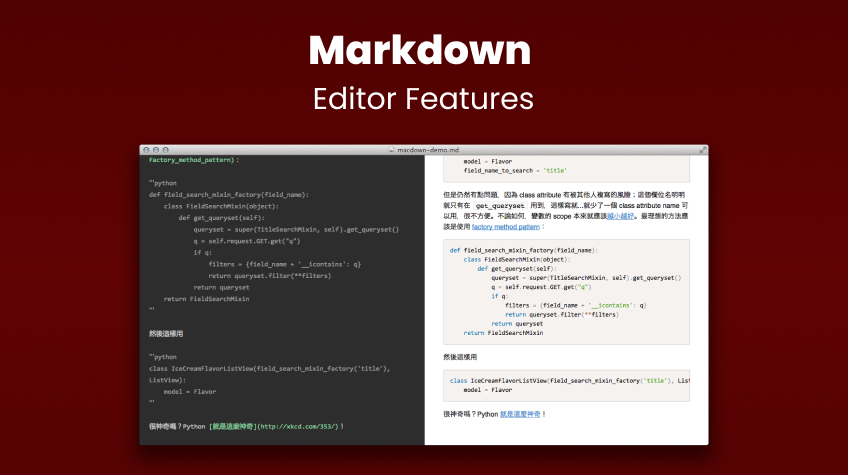
Essential Markdown editor features that continue to shape clear, structured digital writing in 2026. Simplicity, portability, lightweight, and a clean interface are long-standing principles of typography.
Takeaways
- Markdown succeeds because it makes formatting simple.
- Portability ensures consistent formatting across file types.
- Lightweight markup improves clarity in work.
- Tools with HTML-rich text editors support Markdown.
Even before the printing press, text formatting was already a fundamental part of the reading experience. The format italics, which emphasizes the font in a cursive form, has been known for centuries. Headings and spacing shape the meaning of a text.
Many elements of printed typography were used in digital editors. The development of writing in computing was marked by the continuous use of techniques. Existing elements from the printed world were tested and adapted for the digital.
Table of Contents
- Digital Output and Lightweight Markup
- Simple Solution
- Markdown solves elegantly
- The Four Essential Markdown Editor Features
Digital Output and Lightweight Markup
One of the bottlenecks was the entirely character-based nature of early computers. There was no digital design on the monitor’s outputs. Just green characters on a black background. To indicate formatting, it was necessary to write it out.
The idea behind this is simple: in plain text, certain characters can have syntax indicating formatting. Using a symbol like * at the beginning and end of a word indicates italic formatting.
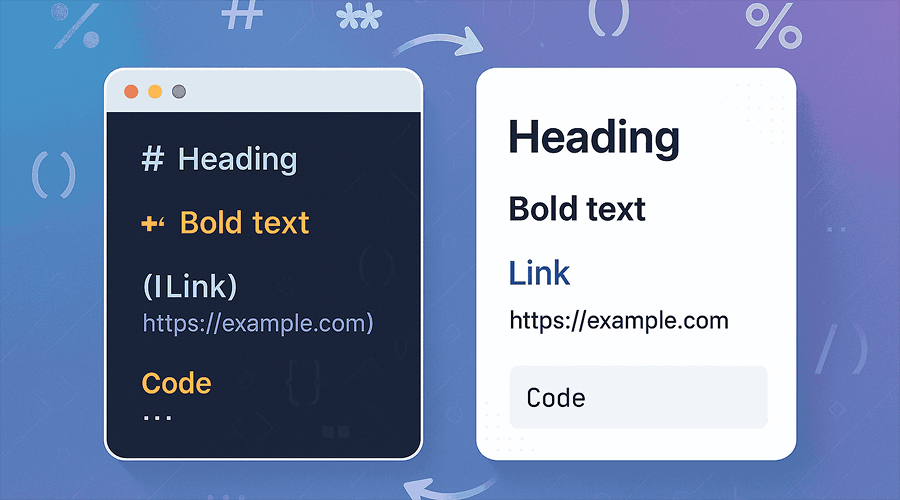
Various markup formats have been developed over the years of computing. The creators of programming languages have tested multiple indicator formats.
By definition, a lightweight markup language is a non-intrusive syntax designed to be easy to write any text and easy to read in its raw form, and can be interpreted by applications in published form.
Simple Solution
When the web began to emerge as a popular tool in the 1990s, HTML took center stage as the publishing language. Many early bloggers and developers began proposing solutions for editing the formatting of their posts through a simple editor. There are dozens of types of lightweight markup languages.
These languages make the editing process for publication much simpler and under the creator’s control. One of the solutions that has gained prominence in the last 20 years is Markdown. It was created in 2004 by bloggers, and its use on the web spread due to its ease of readability.
On many occasions when I’ve had to create product documentation as a professional developer, using Markdown has streamlined the creation process.
The format gained prominence for being used in documentation pages, discussion forums, blogs, and collaborative software. WYSIWYG HTML editors have released plugins that implement Markdown formatting.
These readers enable you to create content with Markdown intuitively, placing elements simultaneously as they are included. In short, what you see is what you get.
Markdown solves elegantly:
# Heading 1
## Heading 2
### Heading 3

**bold text**
*italic text*
`inline code`

[Example](https://www.example.com)
The Four Essential Markdown Editor Features:

#1 – Simplicity in Creation
The main feature of a markdown editor should be simplicity. Syntactic elements should be easy for writers to insert during their writing workflow.
Complicated code causes the writing process to focus on formatting the text, when in fact, from an intellectual point of view, this process should occur in parallel with the content creation process itself.
The characters chosen for markups also cannot coincide with common words in the language. The smaller the format command, the more likely it is not a word.
Using the asterisk * with one element for italics and two for bold is such an obvious simplicity once understood that it seems like a logical choice.
#2 – Platform Portability
Another feature to highlight in Markdown editors is the ability to use formatting in various file types.
The common experience for users when copying content from one file and pasting it into another is often losing elements due to the software used.
This can generate various problems, including hindering reading comprehension. A poorly placed title can give the text a different meaning.
A Markdown editor should allow that content to be used in various applications, including plain-text file formats like .txt, as well as with .doc or .pdf files.
#3 – Lightweight Creation
Lightweight design is a key aspect that makes a difference for a markup language. Using simple characters is much less demanding than using other markups with images and other types of bytes.
In a time when processors have ever-increasing capacity, this might seem like an unimportant detail. However, the quality of content generated, including by LLM generative AI tools, is causing the amount of text to grow exponentially.
Any type of processing and storage represents some kind of cost. The incorporation of simple characters indicates that markup aspects can ultimately mean a good amount of money.
#4 – Clean Interface
In the early years of the web, designers seemed excited about the creative possibilities that were available. It wasn’t until the 1990s that digital products emerged in a rococo style, with an intense use of colors, formats, and sizes for any type of page.
Over time, especially in the last 10 years since 2025, web design has been characterized by increasingly clean options. The sober use of colors and the restricted implementation of font formats have gained ground in all types of pages and applications.
A fundamental feature of the Markdown Editor is having a clean interface so that you can see what you have without any doubts.
Conclusion
These four simple points presented here show how the topic in question has not lost importance with the increase in processing and storage capacity of computers.
On the contrary, the exponential possibility of content now possible with generative AI makes the issue of formatting even more important. It makes a big difference to have simple, portable, lightweight, and straightforward markup.
Various editors on the market can perform this function. When choosing an editor, check if they offer these features. This guarantees that content creators and application developers will achieve the expected results. This article is simply intended to indicate what we can do with Markdown.
Dr. Santi is a tech journalist and software engineer who has been writing about front-end elements. Let me know what you think about this article. Please contact: drsanti@gmail.com.
Frequently Asked Questions About Markdown Editors
1. Why is Markdown still relevant in 2026?
Markdown remains widely used because it is simple, portable, and fast to process. Its lightweight syntax works across platforms, integrates with modern documentation workflows, and avoids formatting lock-in common in proprietary editors.
2. Are there different types of Markdown?
Yes. The most common flavors include CommonMark, GitHub Flavored Markdown (GFM), and Markdown Extra. A good editor should support one of these standardized specifications to ensure portability across apps.
3. How do Markdown editors improve productivity?
Because formatting requires only a few characters, writers spend less time navigating menus and more time producing content. Many developers report faster documentation workflows and fewer formatting errors when using Markdown.
4. Why does lightweight markup matter for performance?
Lightweight syntax means smaller file sizes and faster rendering. This makes a noticeable difference in large repositories, documentation websites, and automated publishing pipelines — especially as AI-generated text increases the volume of content.